


Communicate with customer via Email and Text Messages
- Stores using it
- — Not detected yet
- Rating
- —
- Price
- $4 / mo Free trial
- Launched
- January 2022 Canada
Screenshots

About ARCS Site Communicator
Communicate with customer via Email and Text Messages
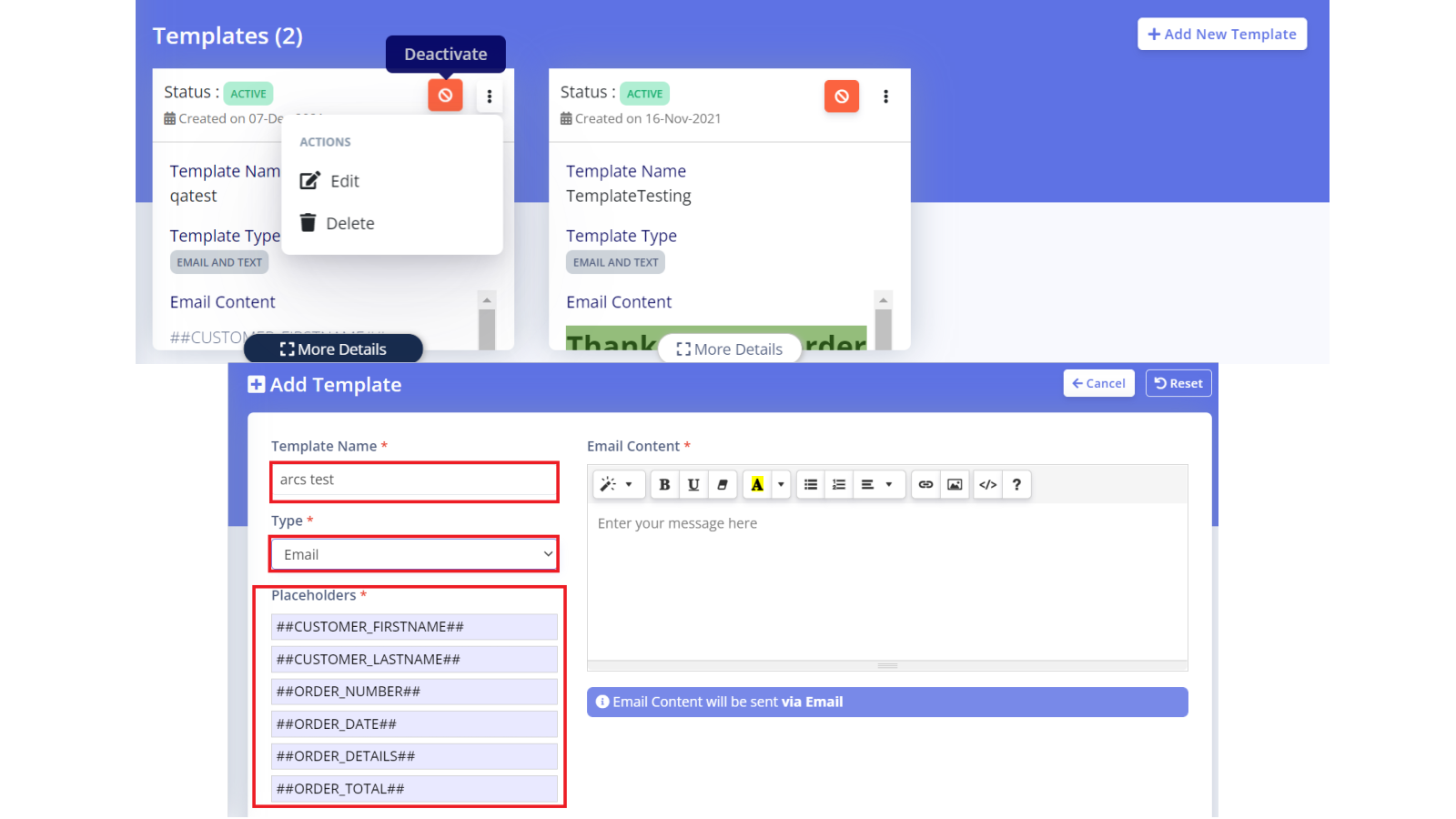
Site Communicator app allows store owners to communicate with their customers via email or text message in automated fashion. Purpose of the app is to communicate with customer via email and/or text using predefined templates and schedule. This app allows to define multiple templates for email and text messages. You can multiple templates and associate with their unique schedule. This app uses Twilio to send our messages and maintain log of all outgoing messages for 30 days.
- Multiple Templates
- Schedule Management
- Messages Log
- Dynamic Placeholders
Features
- Abandoned cart
- Back-in-stock emails
- Browse abandonment
- Cart emails
- Checkout emails
- Discounts
- Email campaigns
- Templates
ARCS Site Communicator pricing
Free trial · From $4 / month. Prices in USD; check the App Store for the latest.
-
Pro
$4 / month
- Requires Twilio Subscription - www.twilio.com/pricing
Shopify stores using ARCS Site Communicator
We haven't detected ARCS Site Communicator on a live Shopify store yet. We recognise the apps that leave a trace in a store's code; some apps run only in the admin or the checkout.
Detect apps on any storeFAQ
ARCS Site Communicator: FAQ
Communicate with customer via Email and Text Messages
No. Plans start at $4 a month, with a free trial.
We haven't detected ARCS Site Communicator on a live Shopify store yet. Scan any store on ShopScan to see the apps it runs.
ARCS Site Communicator is built by ARCS Group Ltd., based in Canada, and launched in January 2022.