


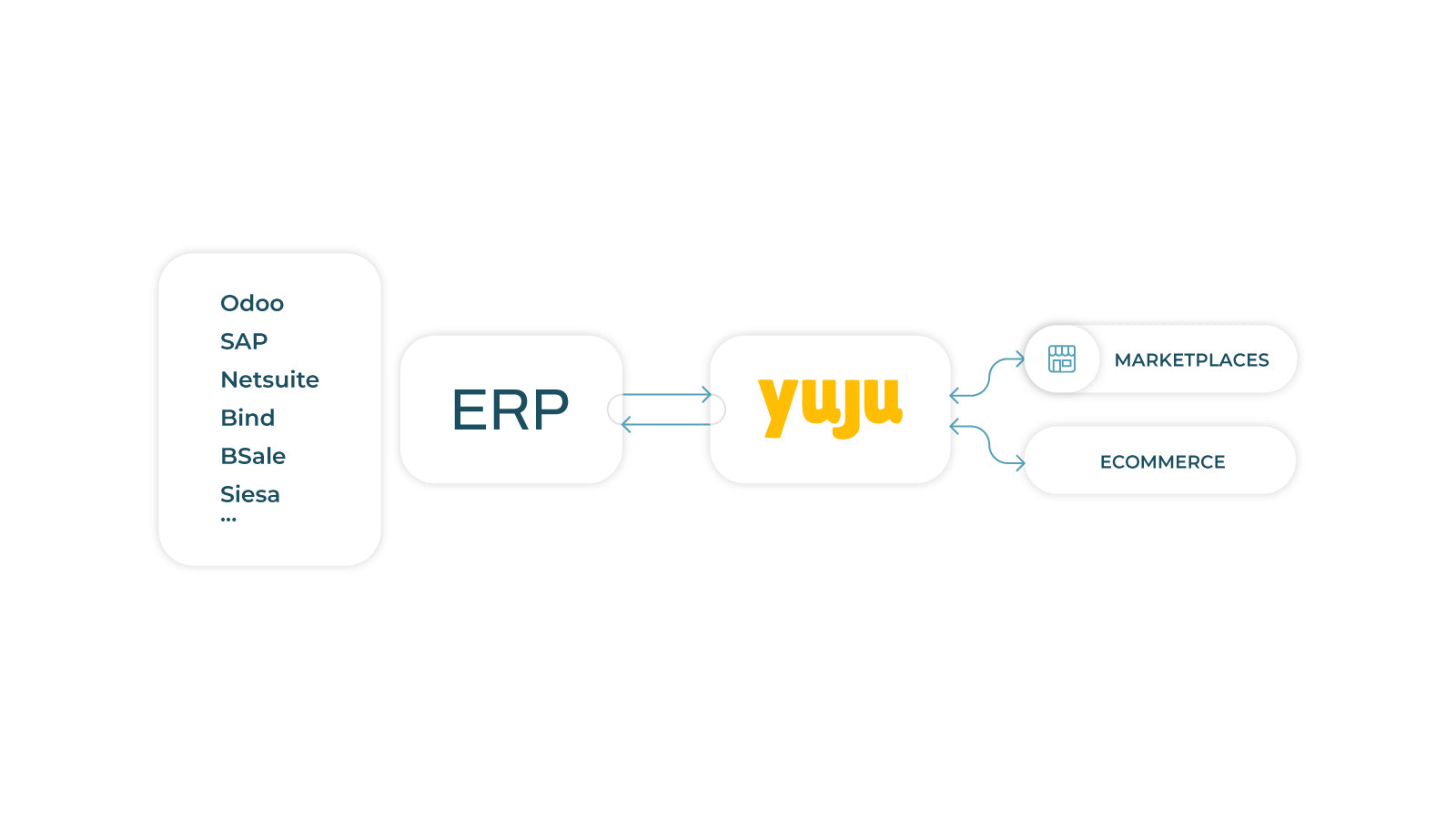
We synchronize your stock and orders with your ERP and marketplaces.
- Stores using it
- — Not detected yet
- Rating
- 4.0 / 5 9 reviews
- Price
- $10 / mo Free trial
- Launched
- November 2022 Mexico
Screenshots
About Yuju apps
We synchronize your stock and orders with your ERP and marketplaces.
Yuju enables brands, distributors, aggregators and ecommerces to automate several daily actions as updating products, synchronizing orders between ERP, Shopify and marketplaces, downloading shipping labels, generating electronic invoices and more. We solve one important challenge: our customer can keep growing remaining organized and without increasing too much its fixed costs.
- Create easily new listings in all of your favorite sales channels.
- Get all your orders in one place.
- Our analytics help you make better decisions on your inventory.
Features
- APIs
- Order approval
- Order fulfillment
- Order processing
- Order sync
- Product sync
Yuju apps pricing
Free trial · From $10 / month. Prices in USD; check the App Store for the latest.
-
Addon Yuju
$10 / month
90 billed yearly (save 25%)
Shopify stores using Yuju apps
We haven't detected Yuju apps on a live Shopify store yet. We recognise the apps that leave a trace in a store's code; some apps run only in the admin or the checkout.
Detect apps on any storeFAQ
Yuju apps: FAQ
We synchronize your stock and orders with your ERP and marketplaces.
No. Plans start at $10 a month, with a free trial.
We haven't detected Yuju apps on a live Shopify store yet. Scan any store on ShopScan to see the apps it runs.
Yuju apps is built by Madkting, based in Mexico, and launched in November 2022.
4.0 out of 5 from 9 reviews on the Shopify App Store.