

Notify your customers of critical information. Allow your customers to make an informed purchase.
- Stores using it
- — Not detected yet
- Rating
- 4.5 / 5 4 reviews
- Price
- $2 / mo Free trial
- Launched
- January 2021 Canada
Screenshots
About Ultimate Product Warning
Notify your customers of critical information. Allow your customers to make an informed purchase.
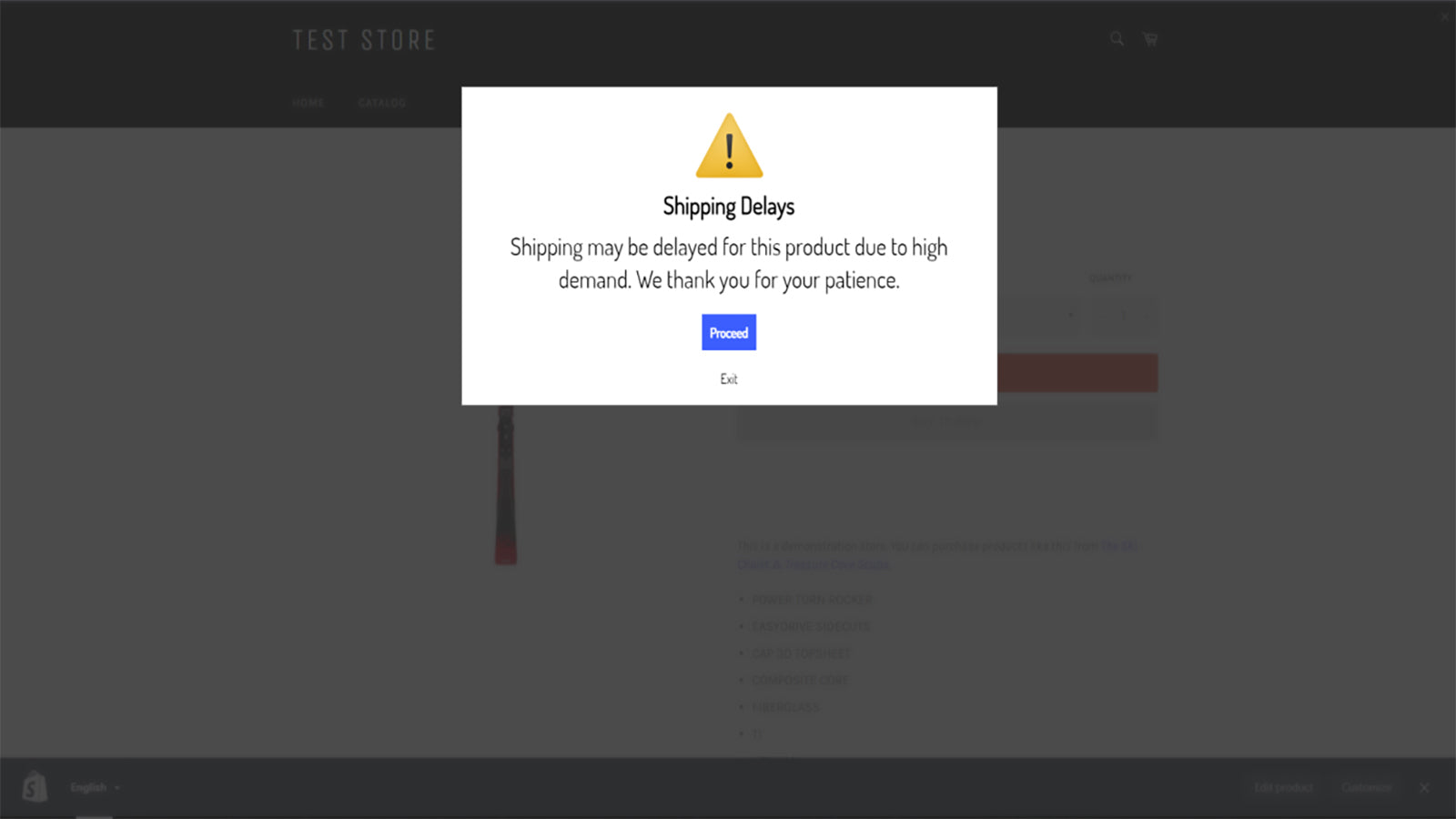
Protect yourself and your customers through the Ultimate Product Warning. Inform your customers of shipping delays, hazardous products, and any other necessary information to allow your customers to be well-informed prior to purchasing a product.
- Apply customizable warnings on product pages or when adding to cart.
- Have your warning embedded into the product page or as a popup.
- Restrict your warnings to specific countries and regions.
Ultimate Product Warning pricing
Free trial · From $2 / month. Prices in USD; check the App Store for the latest.
-
Basic Plan
$2 / month
Shopify stores using Ultimate Product Warning
We haven't detected Ultimate Product Warning on a live Shopify store yet. We recognise the apps that leave a trace in a store's code; some apps run only in the admin or the checkout.
Detect apps on any storeFAQ
Ultimate Product Warning: FAQ
Notify your customers of critical information. Allow your customers to make an informed purchase.
No. Plans start at $2 a month, with a free trial.
We haven't detected Ultimate Product Warning on a live Shopify store yet. Scan any store on ShopScan to see the apps it runs.
Ultimate Product Warning is built by Enchant Ecom, based in Canada, and launched in January 2021.
4.5 out of 5 from 4 reviews on the Shopify App Store.