


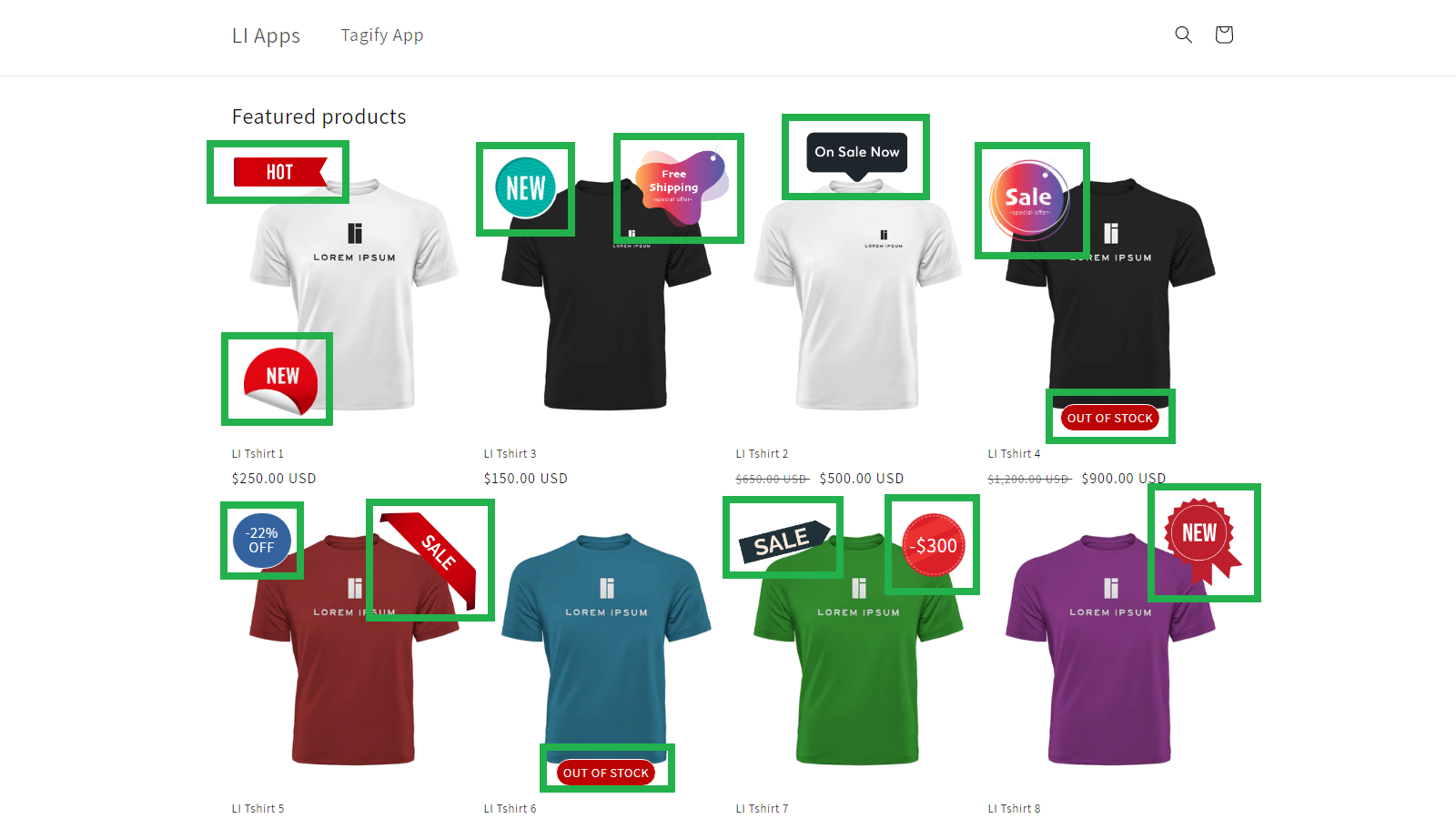
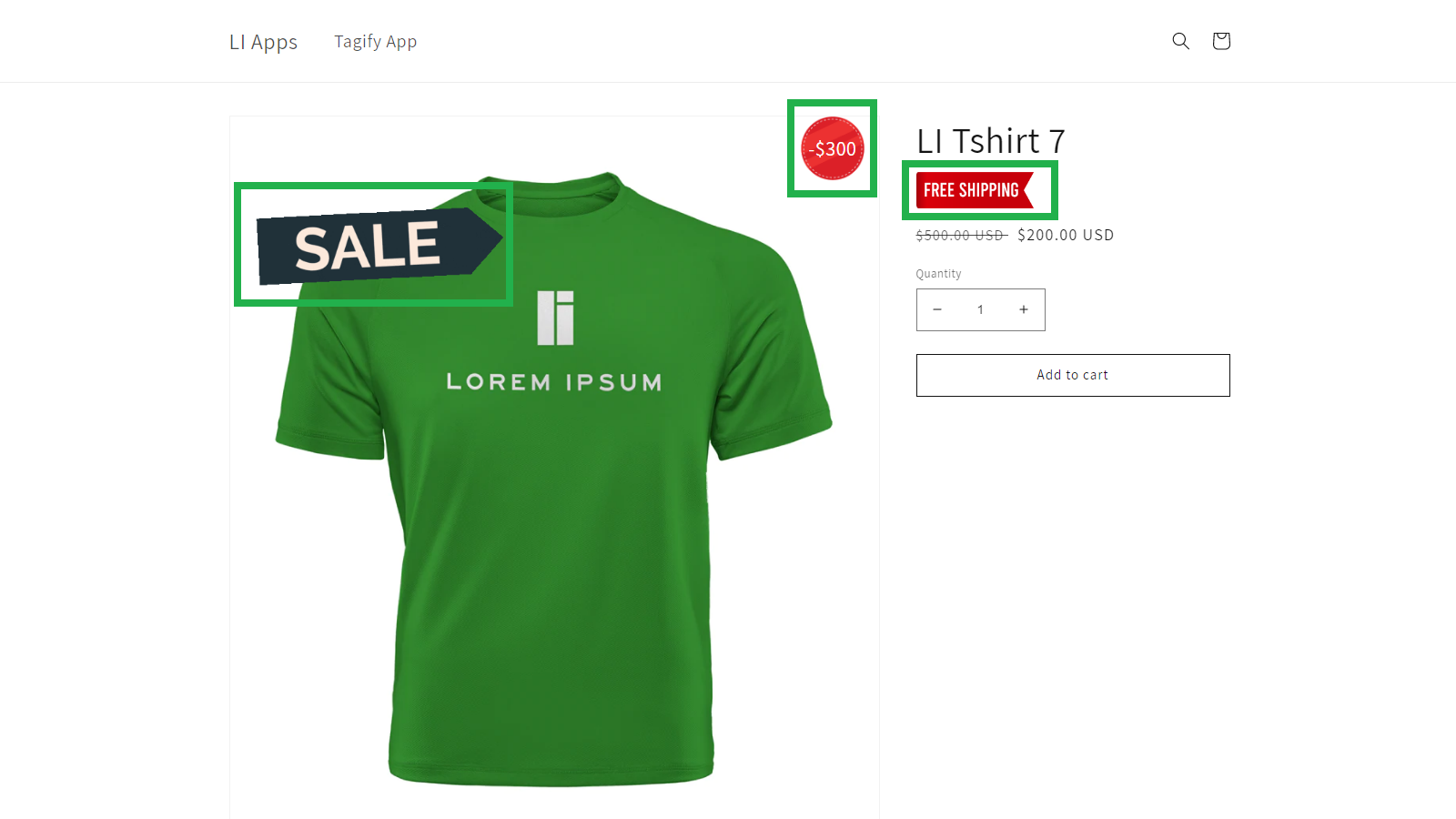
Customized product badges will inform the customer of specific product offers, sales, promotions etc
- Stores using it
- — Not detected yet
- Rating
- 4.4 / 5 4 reviews
- Price
- $5 / mo Free trial
- Launched
- May 2022 United States
Screenshots
About Tagify
Customized product badges will inform the customer of specific product offers, sales, promotions etc
Our app will allow you to add customized product badges to your website. These badges will inform the customer of specific product offers, sales, promotions, etc. With the app, you can create an unlimited number of badges for your products. Upload your own designed badges and specify a location on the product page to display the badge. Apply badge for a specific product or apply for batch products that meet certain conditions. Create badge for products with specific conditions.
- Increase conversions & sales.
- Multiple badges per product.
- Powerful and easy to use.
Tagify pricing
Free trial · From $5 / month. Prices in USD; check the App Store for the latest.
-
Basic plan
$5 / month
Shopify stores using Tagify
We haven't detected Tagify on a live Shopify store yet. We recognise the apps that leave a trace in a store's code; some apps run only in the admin or the checkout.
Detect apps on any storeFAQ
Tagify: FAQ
Customized product badges will inform the customer of specific product offers, sales, promotions etc
No. Plans start at $5 a month, with a free trial.
We haven't detected Tagify on a live Shopify store yet. Scan any store on ShopScan to see the apps it runs.
Tagify is built by Lorem Ipsum Corp, based in United States, and launched in May 2022.
4.4 out of 5 from 4 reviews on the Shopify App Store.