


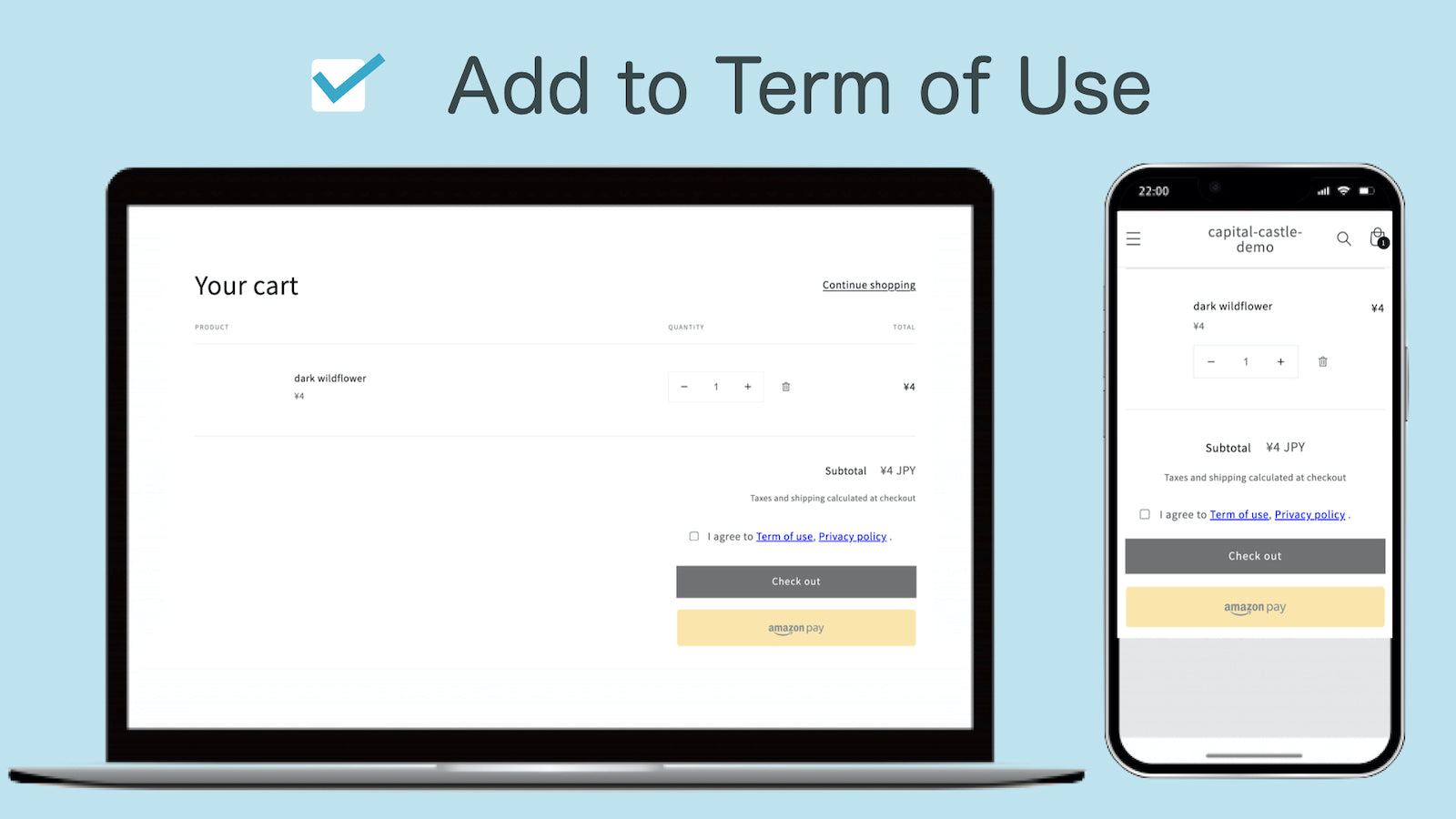
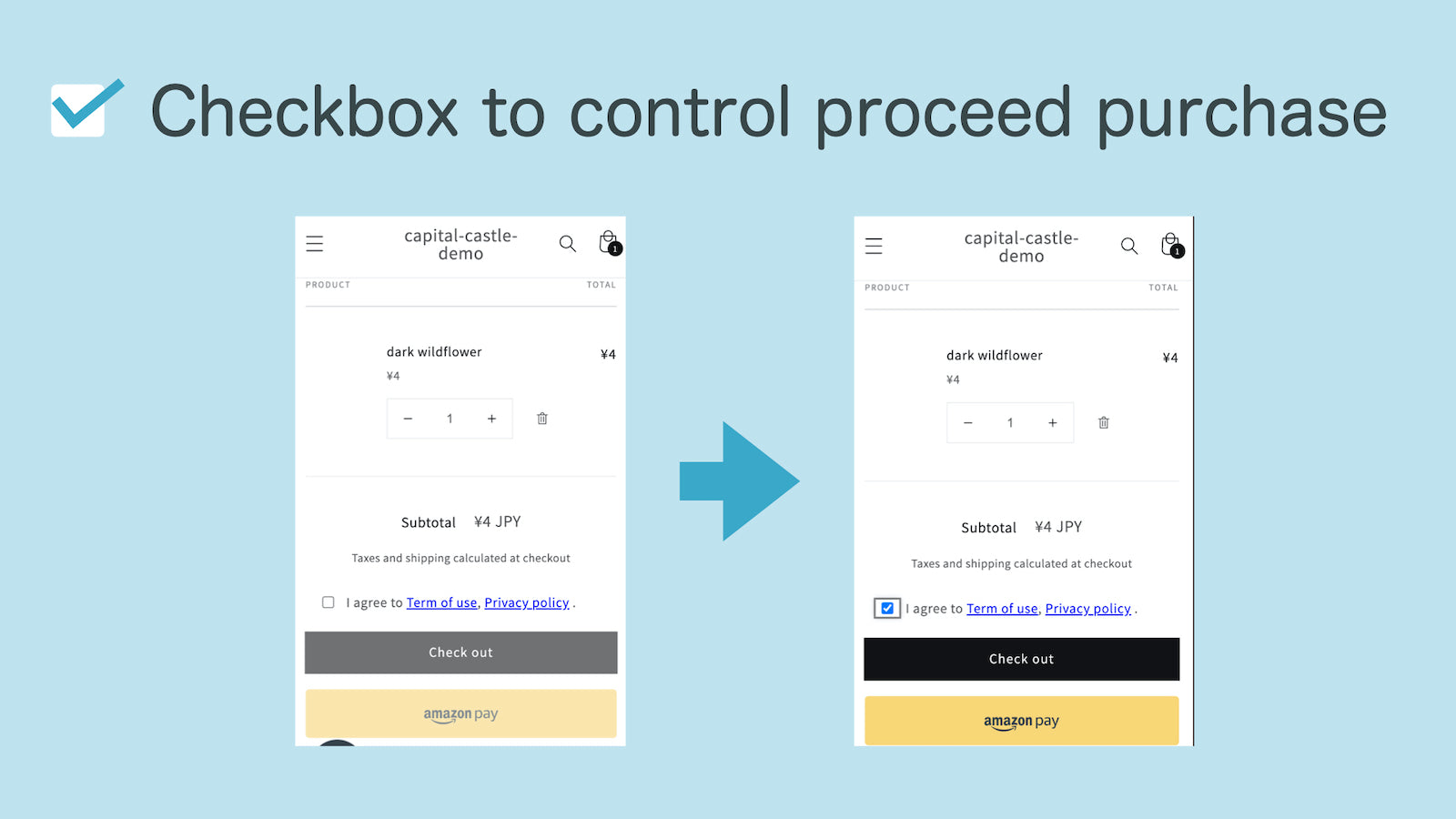
Set Checkbox for term of use and privacy policy before purchase button.
- Stores using it
- — Not detected yet
- Rating
- —
- Price
- $1 / mo Free trial
- Launched
- July 2021 Japan
Screenshots
About CC Checkbox Term of Use
Set Checkbox for term of use and privacy policy before purchase button.
Easily create checkboxes for terms of use into account register & before purchase, for safely run the store. What can you do with the app? * The Shopify template doesn't have a checkbox for terms of use when customer register as a member and before purchase. You want to include terms of use, but you don't want to edit the Liquid theme. It is an application that fulfills such a request.
- You can add checkboxes to the account creation without any programming.
- This app has a small file size and fast loading speed.
- Allow the customize the each word. Any language can be used.
Features
- Custom text
- Terms and conditions
CC Checkbox Term of Use pricing
Free trial · From $1 / month. Prices in USD; check the App Store for the latest.
-
Normal Plan
$1 / month
Shopify stores using CC Checkbox Term of Use
We haven't detected CC Checkbox Term of Use on a live Shopify store yet. We recognise the apps that leave a trace in a store's code; some apps run only in the admin or the checkout.
Detect apps on any storeFAQ
CC Checkbox Term of Use: FAQ
Set Checkbox for term of use and privacy policy before purchase button.
No. Plans start at $1 a month, with a free trial.
We haven't detected CC Checkbox Term of Use on a live Shopify store yet. Scan any store on ShopScan to see the apps it runs.
CC Checkbox Term of Use is built by Capital Castle, based in Japan, and launched in July 2021.