


Effortlessly return to the top with a single click. Enhance user navigation with ease.
- Stores using it
- — Not detected yet
- Rating
- 5.0 / 5 1 reviews
- Price
- Free
- Launched
- November 2022 India
Screenshots

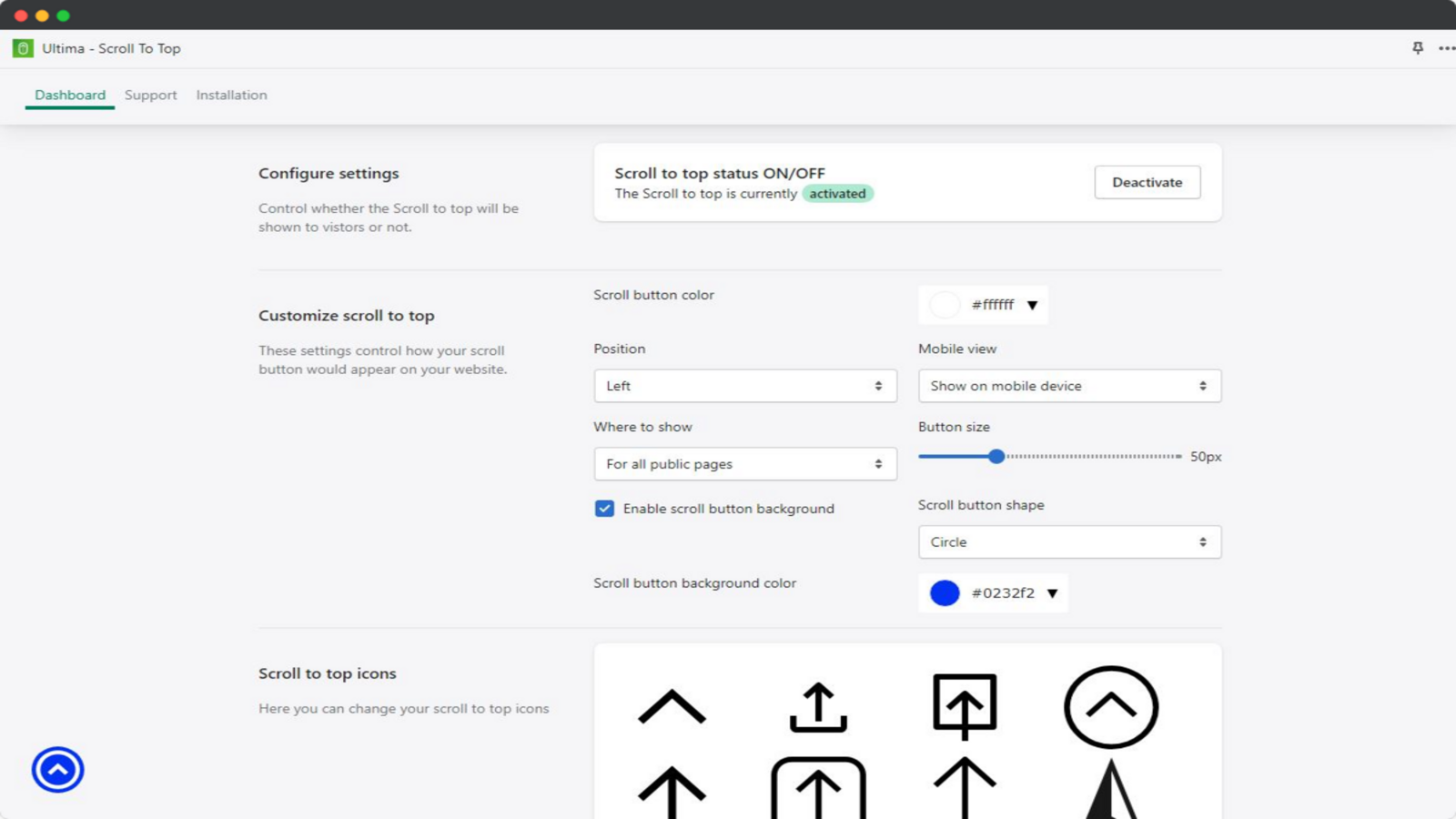
About Ultima ‑ Scroll To Top
Effortlessly return to the top with a single click. Enhance user navigation with ease.
Simplify navigation effortlessly with just a one click return to the top. With just a single click, users can smoothly scroll back to the top of the page, eliminating the need for manual scrolling. This app provides customization options to match your store's design and seamlessly integrates into your existing theme. With its easy integration and user friendly functionality, this app enhances user experience, boosts engagement, and keeps visitors engaged for longer.
- Enable smooth and seamless scrolling back to the top with a single click.
- Customize the scroll to top button to match your store's style.
- Improve navigation and reduce frustration for your customers.
- Provides a smooth scrolling experience on mobile devices.
Shopify stores using Ultima ‑ Scroll To Top
We haven't detected Ultima ‑ Scroll To Top on a live Shopify store yet. We recognise the apps that leave a trace in a store's code; some apps run only in the admin or the checkout.
Detect apps on any storeFAQ
Ultima ‑ Scroll To Top: FAQ
Effortlessly return to the top with a single click. Enhance user navigation with ease.
Yes, Ultima ‑ Scroll To Top is free to use.
We haven't detected Ultima ‑ Scroll To Top on a live Shopify store yet. Scan any store on ShopScan to see the apps it runs.
Ultima ‑ Scroll To Top is built by Codexade, based in India, and launched in November 2022.
5.0 out of 5 from 1 reviews on the Shopify App Store.