


Efficiently pick & pack by location. Product bundle support.
- Stores using it
- — Not detected yet
- Rating
- 4.8 / 5 6 reviews
- Price
- $5 / mo Free trial
- Launched
- October 2020 Australia
Screenshots
About Pickle
Efficiently pick & pack by location. Product bundle support.
Pickle helps you pick and pack! Pickle is easy to use, download your picklist while preparing your orders direct from your Shopify admin orders page. Do you sell products that consist of multiple individual items such as a Food Hamper? When kit or bundle items are in the cart, Pickle can automatically add all the relevant items to your pick list too! Assign locations to each product so you know where to look for your product, sort your pick list by location to avoid walking back and fourth.
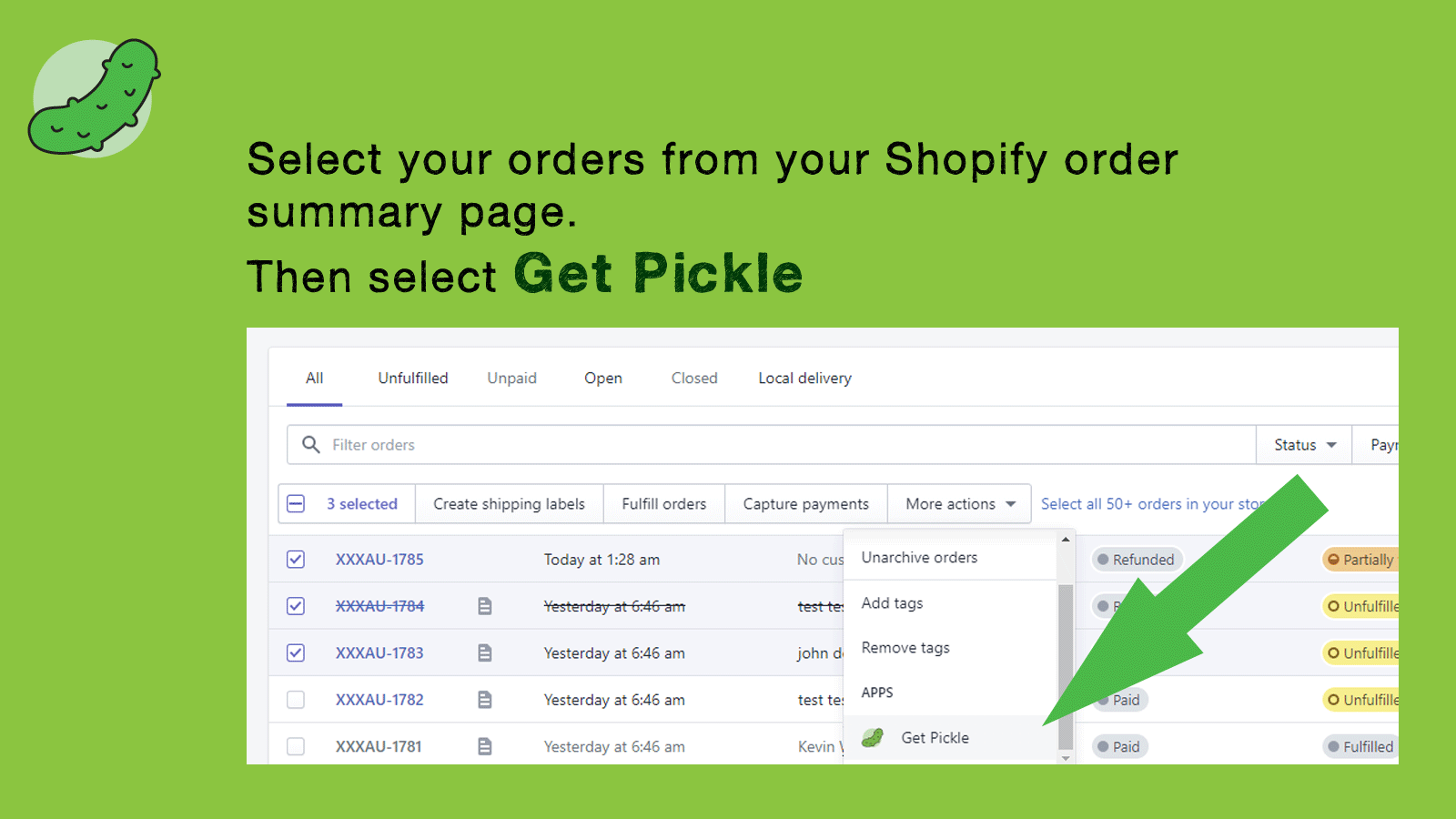
- Easy to use! Select your orders from your orders page, Get Pickle and print!
- Group items by location for efficient picking.
- Assign individual items to Kit and Bundle products.
Features
- Barcodes
- Bulk download
- Invoice numbers
- Packing slips
Pickle pricing
Free trial · From $5 / month. Prices in USD; check the App Store for the latest.
-
Standard
$5 / month
Shopify stores using Pickle
We haven't detected Pickle on a live Shopify store yet. We recognise the apps that leave a trace in a store's code; some apps run only in the admin or the checkout.
Detect apps on any storeFAQ
Pickle: FAQ
Efficiently pick & pack by location. Product bundle support.
No. Plans start at $5 a month, with a free trial.
We haven't detected Pickle on a live Shopify store yet. Scan any store on ShopScan to see the apps it runs.
Pickle is built by MZL Solutions, based in Australia, and launched in October 2020.
4.8 out of 5 from 6 reviews on the Shopify App Store.