


Drive extra attention to your products by visually highlighting their special attributes.
- Stores using it
- — Not detected yet
- Rating
- 1.0 / 5 1 reviews
- Price
- Free
- Launched
- March 2021 Canada
Screenshots
About Magic Product Badges
Drive extra attention to your products by visually highlighting their special attributes.
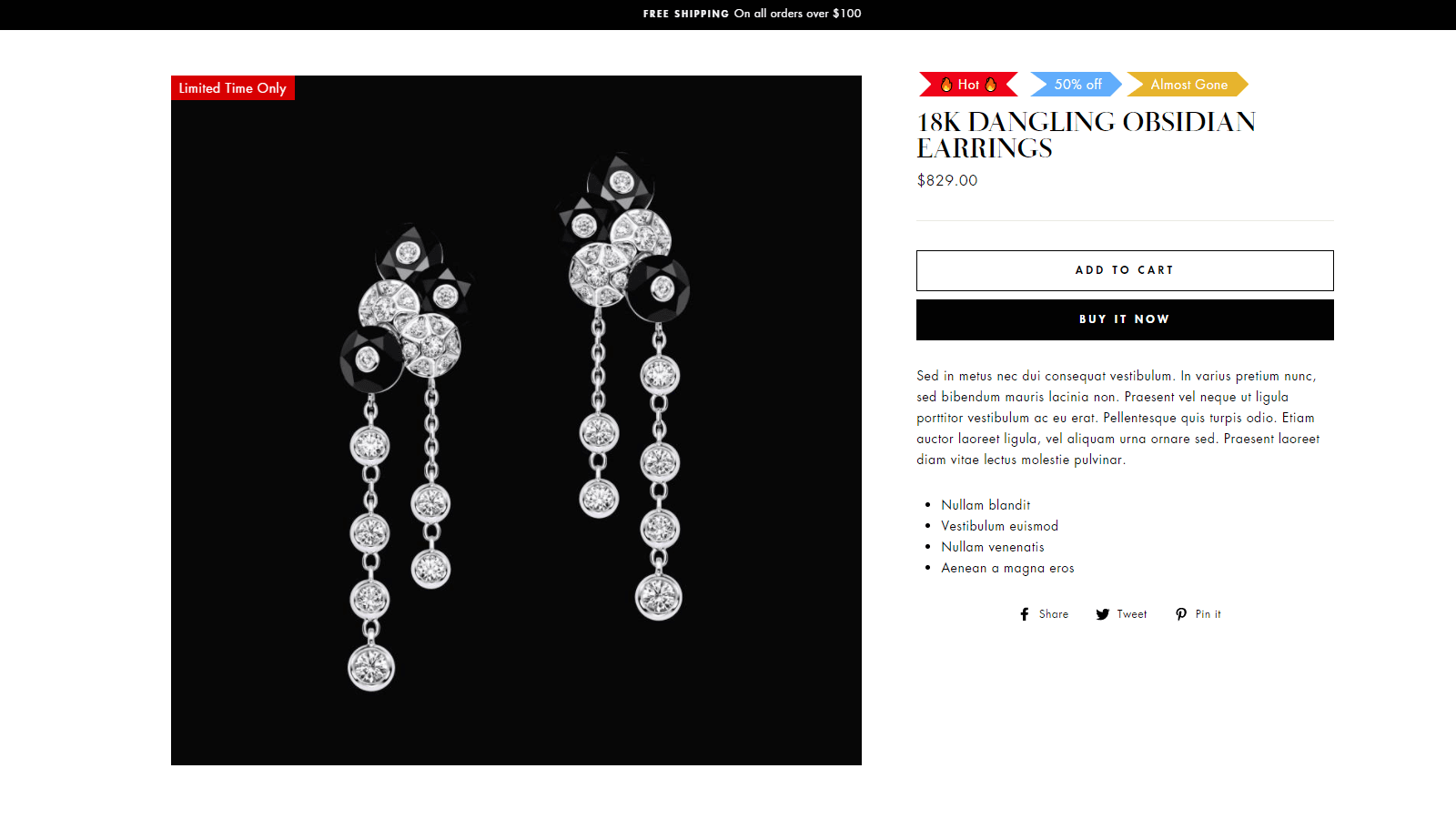
Magic Product Badges brings you a step closer to more conversions by informing your customers about special offers. It helps to create urgency and scarcity while also adding social proof to your products and overall brand. There are so many ways that our app can help boost your sales every day. Add as many badges as you want, it’s all up to you! Magic Product Badges is highly customizable and easy to use for beginners or advanced Shopify store owners.
- Drive extra attention to your products by visually highlighting their special at
- Add multiple badges on a single product such as Best Sellers, New Arrivals, Tren
- Badges help to promote your products by using discounts, urgency, social proof,
Features
- Product pages
- Styling
- Trust
Shopify stores using Magic Product Badges
We haven't detected Magic Product Badges on a live Shopify store yet. We recognise the apps that leave a trace in a store's code; some apps run only in the admin or the checkout.
Detect apps on any storeFAQ
Magic Product Badges: FAQ
Drive extra attention to your products by visually highlighting their special attributes.
Yes, Magic Product Badges is free to use.
We haven't detected Magic Product Badges on a live Shopify store yet. Scan any store on ShopScan to see the apps it runs.
Magic Product Badges is built by Smart Ecom Tech, based in Canada, and launched in March 2021.
1.0 out of 5 from 1 reviews on the Shopify App Store.