


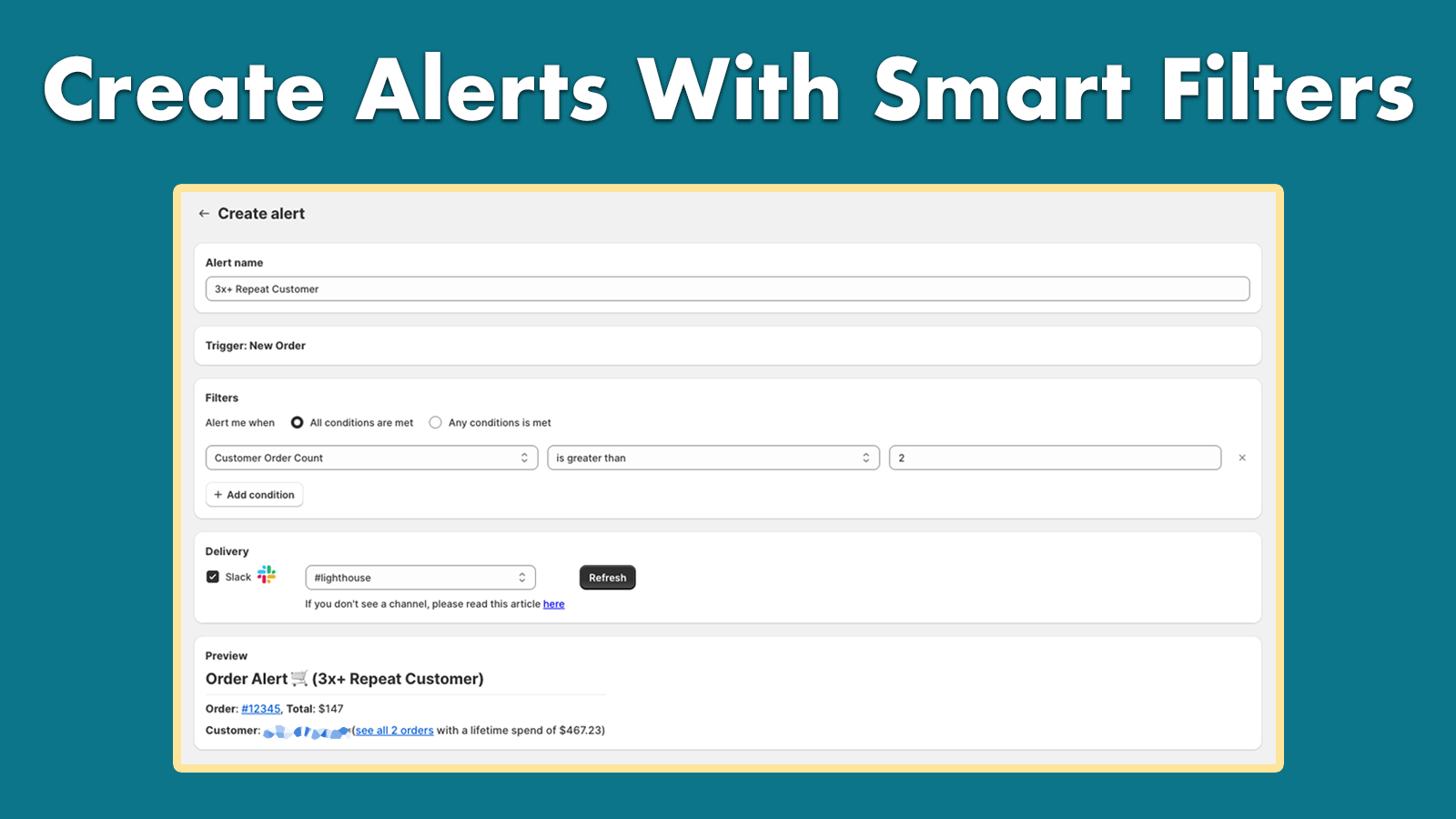
Get Slack alerts for your most important orders. Filter them by order value and much more.
- Stores using it
- — Not detected yet
- Rating
- 5.0 / 5 3 reviews
- Price
- $19 / mo Free trial
- Launched
- May 2024 United States
Screenshots

About Lighthouse: Slack Alerts
Get Slack alerts for your most important orders. Filter them by order value and much more.
Lighthouse is a Slack alert system for Shopify store owners looking to stay on top of their most important orders. Integrated seamlessly with Slack, this app sends you real-time notifications for orders that matter most to your business. Filter your alerts based on order value and more.
- Get realtime Slack alerts for your most important Shopify orders.
- Filter alerts by order value and more.
- Easy and intuitive setup: get started in just a few minutes.
Lighthouse: Slack Alerts pricing
Free trial · From $19 / month. Prices in USD; check the App Store for the latest.
-
Lighthouse Pro
$19 / month
- Unlimited notifications pushed to Slack in real time.
Shopify stores using Lighthouse: Slack Alerts
We haven't detected Lighthouse: Slack Alerts on a live Shopify store yet. We recognise the apps that leave a trace in a store's code; some apps run only in the admin or the checkout.
Detect apps on any storeFAQ
Lighthouse: Slack Alerts: FAQ
Get Slack alerts for your most important orders. Filter them by order value and much more.
No. Plans start at $19 a month, with a free trial.
We haven't detected Lighthouse: Slack Alerts on a live Shopify store yet. Scan any store on ShopScan to see the apps it runs.
Lighthouse: Slack Alerts is built by Eccomplished, based in United States, and launched in May 2024.
5.0 out of 5 from 3 reviews on the Shopify App Store.