


With Instant Search you will give your customer more possibilities to search for products!
- Stores using it
- — Not detected yet
- Rating
- —
- Price
- $1 / mo Free trial
- Launched
- June 2022 United Kingdom
Screenshots

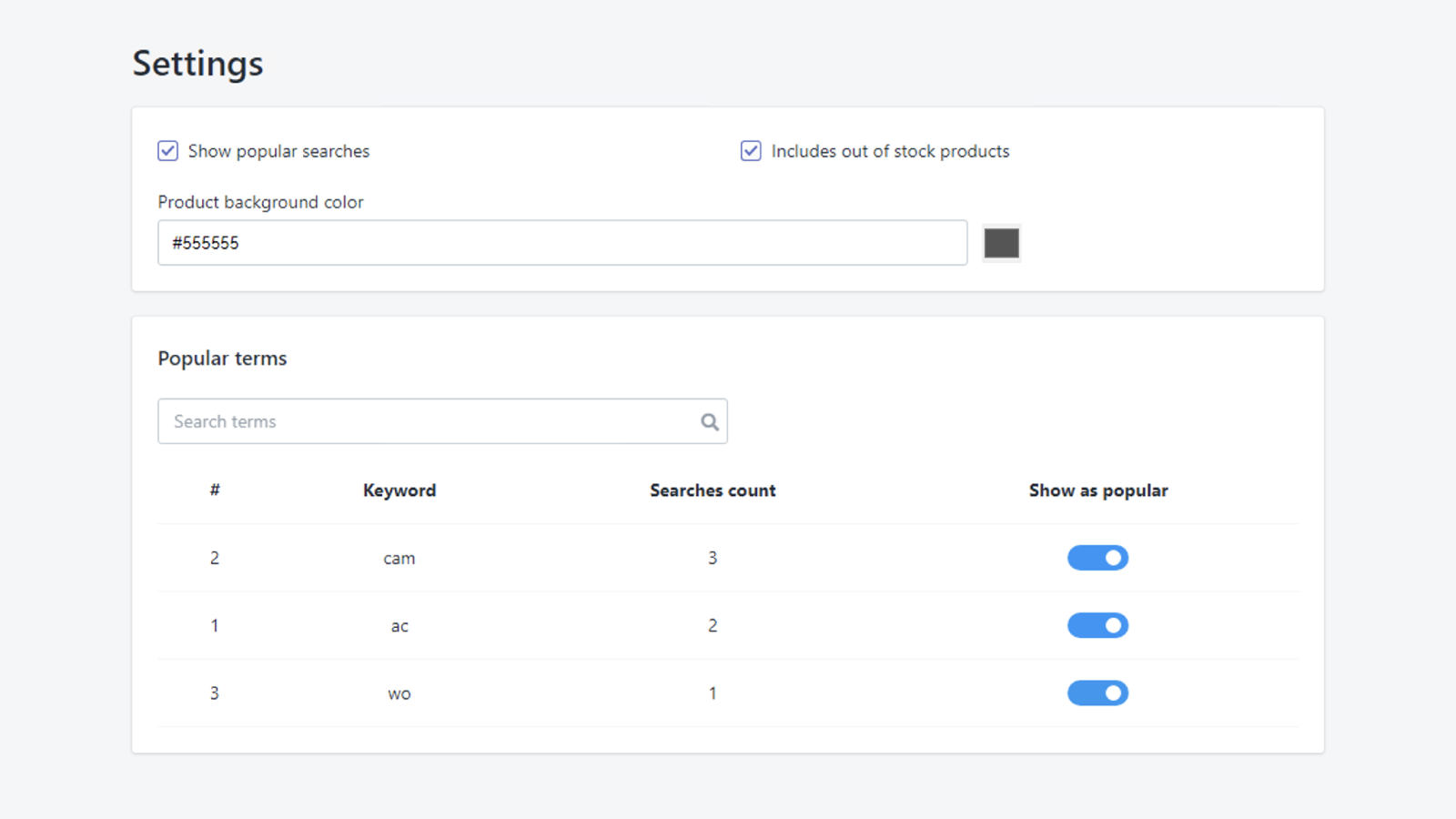
About Instant Search ﹣ InSearch
With Instant Search you will give your customer more possibilities to search for products!
With Instant Search you will give your customer more possibilities to search for the products, and it helps them by displaying the most searchable keywords in your store When your customer types what they are looking for, we search all product details (like title, description, tags, ...) and this really helps your customer to find the product they are looking for faster. Also in InSearch we collect the keywords your customers searching with and we display them to the other customers.
- Instant search (Smart Search bar that show the products based on the keywords)
- Collect most searchable keywords and manage them
- Free support
Instant Search ﹣ InSearch pricing
Free trial · From $1 / month. Prices in USD; check the App Store for the latest.
-
CountDown
$1 / month
Shopify stores using Instant Search ﹣ InSearch
We haven't detected Instant Search ﹣ InSearch on a live Shopify store yet. We recognise the apps that leave a trace in a store's code; some apps run only in the admin or the checkout.
Detect apps on any storeFAQ
Instant Search ﹣ InSearch: FAQ
With Instant Search you will give your customer more possibilities to search for products!
No. Plans start at $1 a month, with a free trial.
We haven't detected Instant Search ﹣ InSearch on a live Shopify store yet. Scan any store on ShopScan to see the apps it runs.
Instant Search ﹣ InSearch is built by Reveniux, based in United Kingdom, and launched in June 2022.