


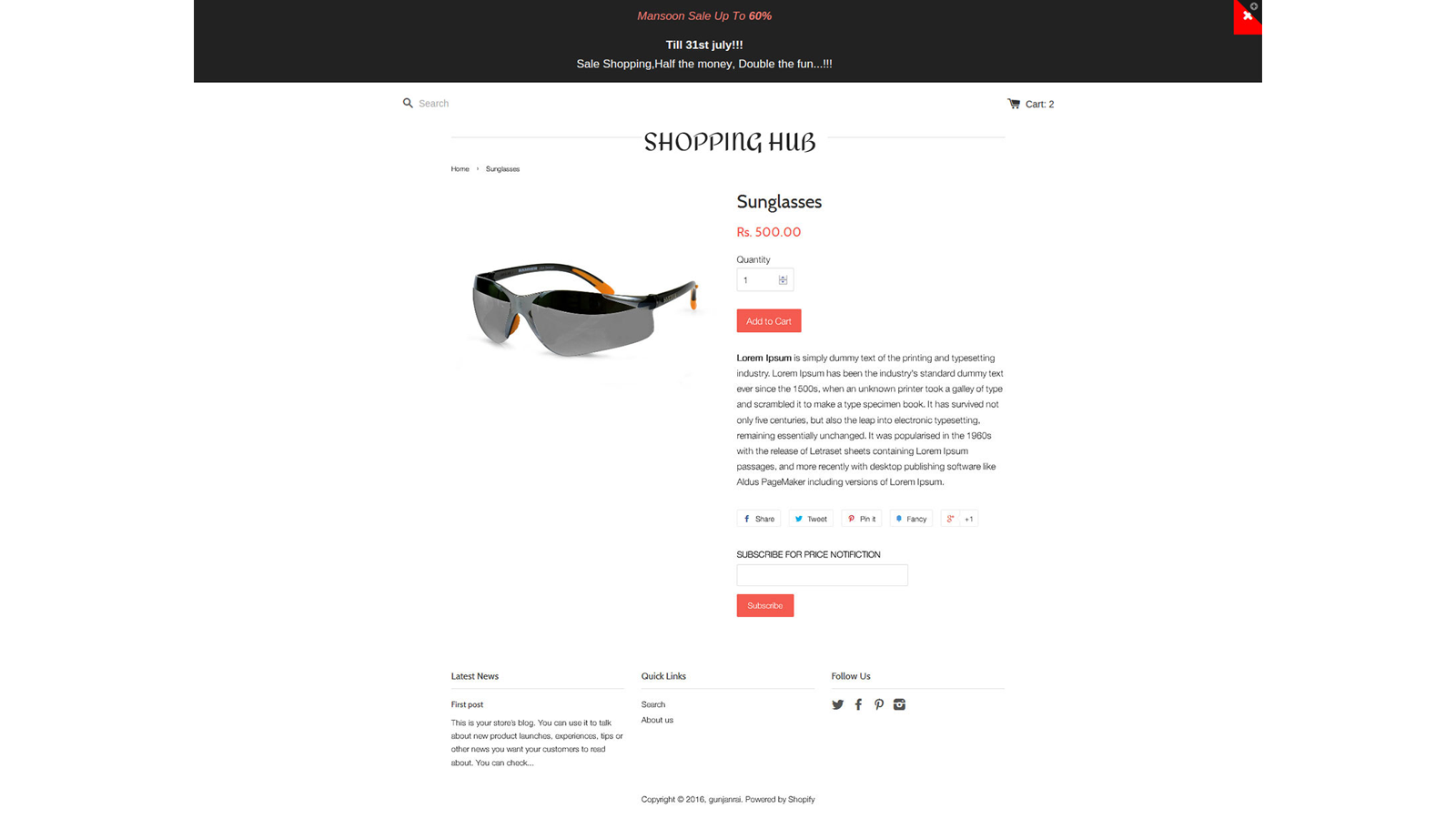
Notification Bar App Allows you to add a cool notify bar to your Store.
- Stores using it
- — Not detected yet
- Rating
- 3.0 / 5 1 reviews
- Price
- Free
- Launched
- July 2016 India
Screenshots

About TIS HTML Notification Bar
Notification Bar App Allows you to add a cool notify bar to your Store.
This App gives you an additional extended message feature which you can control by settings in the backend. If you want to highlight the Key part of your store or want to display the important message to all visitors, HTML Notification Bar app is the Perfect for your requirement. You can display the Maintenance Windows Message, Display Special Promo Code, Shows the Festival Wishes to Your customer's so that they can feel
- Show important information and amazing offer deals on the top of your website.
- Edit Notification Bar's HTML and content to show it in various colors.
- One click option to show or hide the notification bar from the website.
Features
- Announcements
- Custom code
- Custom pop-ups
- Discounts
- Editor tool
- Email pop-ups
- Sales pop-ups
- Templates
Shopify stores using TIS HTML Notification Bar
We haven't detected TIS HTML Notification Bar on a live Shopify store yet. We recognise the apps that leave a trace in a store's code; some apps run only in the admin or the checkout.
Detect apps on any storeFAQ
TIS HTML Notification Bar: FAQ
Notification Bar App Allows you to add a cool notify bar to your Store.
Yes, TIS HTML Notification Bar is free to use.
We haven't detected TIS HTML Notification Bar on a live Shopify store yet. Scan any store on ShopScan to see the apps it runs.
TIS HTML Notification Bar is built by TechInfini Solutions, based in India, and launched in July 2016.
3.0 out of 5 from 1 reviews on the Shopify App Store.