


All your data in one analytics platform. Export, report, analyze, and explore your data. Try it now.
- Stores using it
- — Not detected yet
- Rating
- 5.0 / 5 6 reviews
- Price
- $50 / mo Free plan available
- Launched
- August 2019 Canada
Screenshots
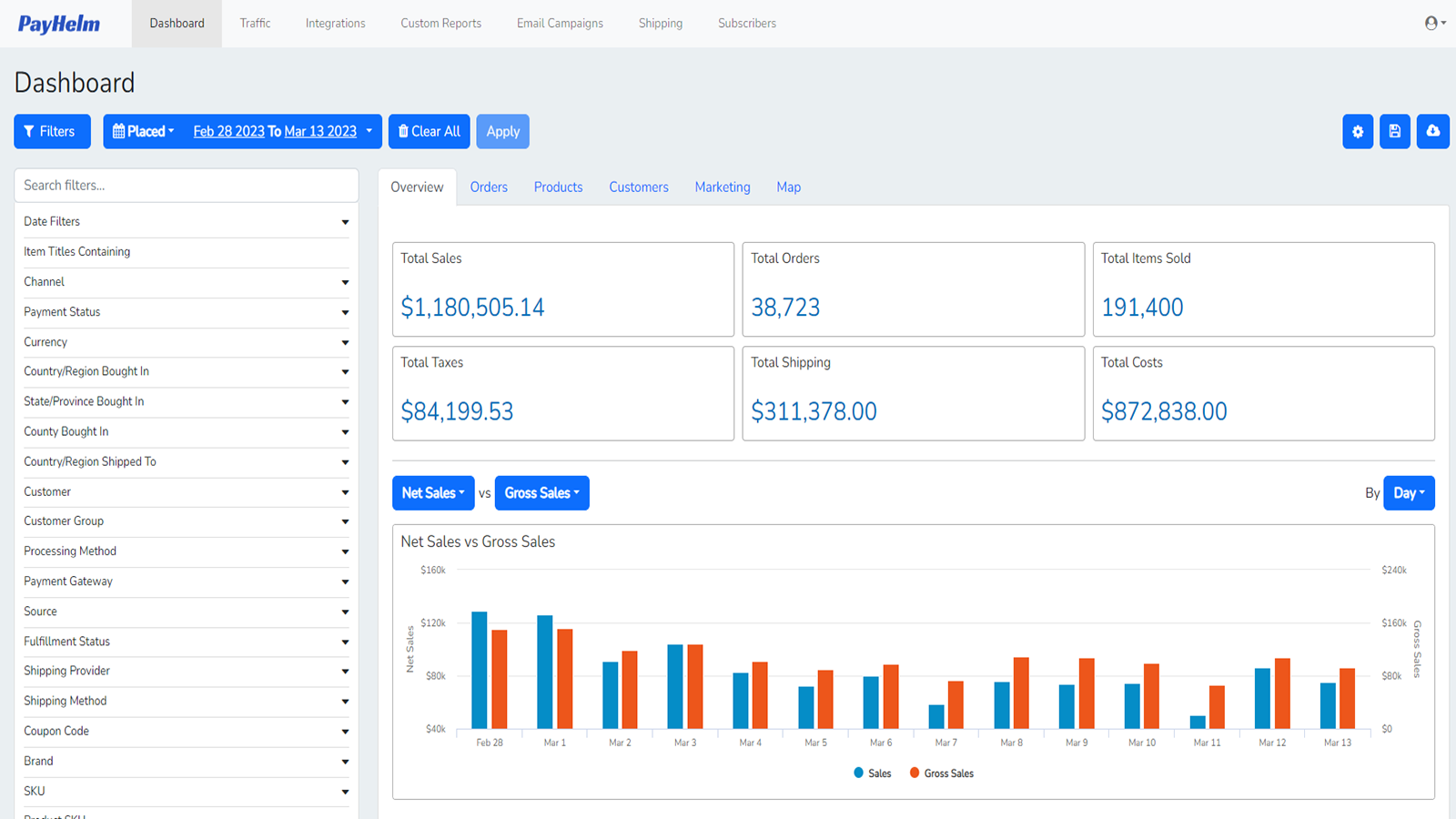
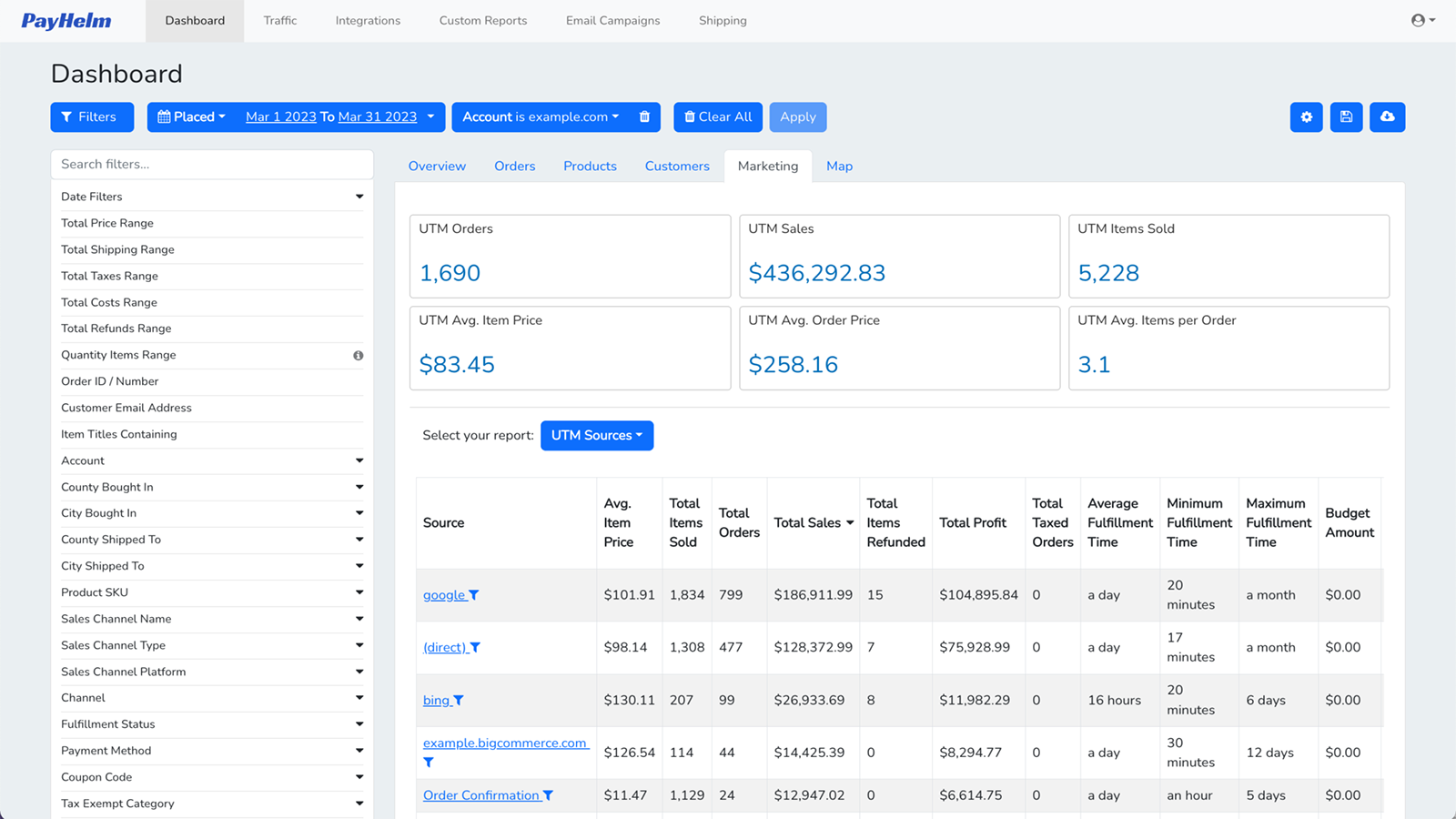
About PayHelm: Analytics & Reports
All your data in one analytics platform. Export, report, analyze, and explore your data. Try it now.
Connect all your sources of data together to understand how to grow your profit. Analyze multiple stores, marketing channels, and more like Amazon, Etsy and more. See how your Google Ads or Facebook Ads are performing on ROAS. Analyze your UPS labels or ShipStation costs. Connect your Stripe, Braintree, or PayPal accounts so you can analyze gateway fees and understand Gross Margin % or Profit. Get your Ecommerce Dashboard setup & working for your business!
- Unlock your data and access mission critical information to grow your business.
- Export your date and integrate it with other mission critical services.
- Analyze your business, products, customers, and get your team on the same page.
- Share and export your reports to PDF, Excel, CSV, Google Sheets.
- Scheduled reports are automatically sent via email or to Google Sheets.
Features
- AI insights
- Abandoned cart
- Activity tracking
- Analytics dashboard
- Bank reconciliation
- Benchmarking
- COGS tracking
- Checkout analytics
- Custom dashboards
- Custom reports
- Customers
- Daily sales summary
- Data export
- Event tracking
- Expense tracking
- Funnel analysis
- GDPR compliance
- Historical analysis
- Historical data import
- Inventory and product
- Lifetime value (LTV)
- Loyalty analysis
- Marketing attribution
- Multi-channel
- Multi-currency
- Multi-store
- Multi-store reports
- Net terms
- Notifications
- Order details
- Page views
- Payouts
- Performance dashboard
- Pixel tracking
- Pricing
- Profit insights
- Purchase tracking
- ROAS
- Real-time inventory sync
- Real-time tracking
PayHelm: Analytics & Reports pricing
Free plan available · Free trial · From $50 / month. Prices in USD; check the App Store for the latest.
-
Free
Free
- Analyze $10,000/m in sales
- Bigcommerce, Shopify & WooCommerce
- Import All Sales History
- Unlimited Stores, Orders, and Users
- 300+ Metrics
-
Pro
$50 / month
- Analyze $50,000/m in sales
- Everything in the free plan plus:
- Shared Reports
- Export Reports
- Create Custom Reports
-
Business
$100 / month
- Analyze $200,000/m in sales
- Everything in the Pro plan plus:
- Save Custom Reports
- Advanced Filters & Segments
- Schedule & Email Reports
-
Enterprise
$200 / month
- Analyze $200K+ in sales
- Everything in the Business plan plus:
- ShipStation integration
- Google Analytics Integration
- Web Traffic Report
Shopify stores using PayHelm: Analytics & Reports
We haven't detected PayHelm: Analytics & Reports on a live Shopify store yet. We recognise the apps that leave a trace in a store's code; some apps run only in the admin or the checkout.
Detect apps on any storeFAQ
PayHelm: Analytics & Reports: FAQ
All your data in one analytics platform. Export, report, analyze, and explore your data. Try it now.
PayHelm: Analytics & Reports has a free plan; paid plans start at $50 a month.
We haven't detected PayHelm: Analytics & Reports on a live Shopify store yet. Scan any store on ShopScan to see the apps it runs.
PayHelm: Analytics & Reports is built by PayHelm, based in Canada, and launched in August 2019.
5.0 out of 5 from 6 reviews on the Shopify App Store.