


The Favicon Counter app allows you to show the number of products in the customer's cart in Favorite
- Stores using it
- — Not detected yet
- Rating
- 5.0 / 5 1 reviews
- Price
- $1 / mo Free trial
- Launched
- July 2022 United Kingdom
Screenshots

About Favicon Counter﹣Count products
The Favicon Counter app allows you to show the number of products in the customer's cart in Favorite
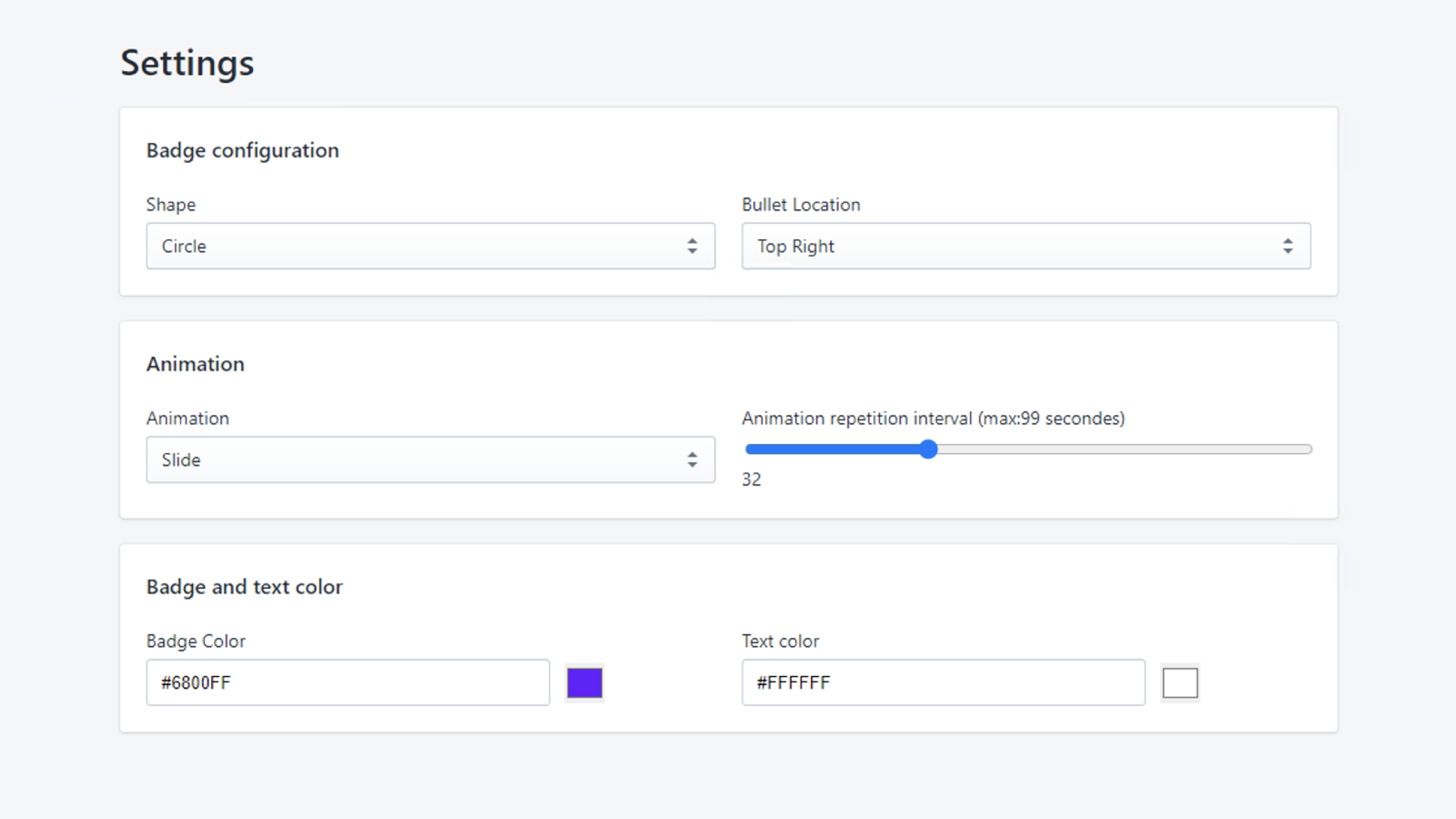
You can customize how you want the favicon counter to look, as you can change the color of it and its shape, also you can control the style of his animation. Does not affect SEO! No coding is required. # Support We value our customers and are here to assist you ASAP. Talk directly to the developers via phone or email.
- Show the number of products in the cart if the customer moves to another page
- All feature included
- Premium support
Favicon Counter﹣Count products pricing
Free trial · From $1 / month. Prices in USD; check the App Store for the latest.
-
Favicon
$1 / month
Shopify stores using Favicon Counter﹣Count products
We haven't detected Favicon Counter﹣Count products on a live Shopify store yet. We recognise the apps that leave a trace in a store's code; some apps run only in the admin or the checkout.
Detect apps on any storeFAQ
Favicon Counter﹣Count products: FAQ
The Favicon Counter app allows you to show the number of products in the customer's cart in Favorite
No. Plans start at $1 a month, with a free trial.
We haven't detected Favicon Counter﹣Count products on a live Shopify store yet. Scan any store on ShopScan to see the apps it runs.
Favicon Counter﹣Count products is built by Reveniux, based in United Kingdom, and launched in July 2022.
5.0 out of 5 from 1 reviews on the Shopify App Store.