

We create and maintain your product feed in XML format. Your own XML feed with just one click!
- Stores using it
- — Not detected yet
- Rating
- 4.5 / 5 9 reviews
- Price
- Free
- Launched
- March 2019 Greece
Screenshots
About Skroutz XML Feed
We create and maintain your product feed in XML format. Your own XML feed with just one click!
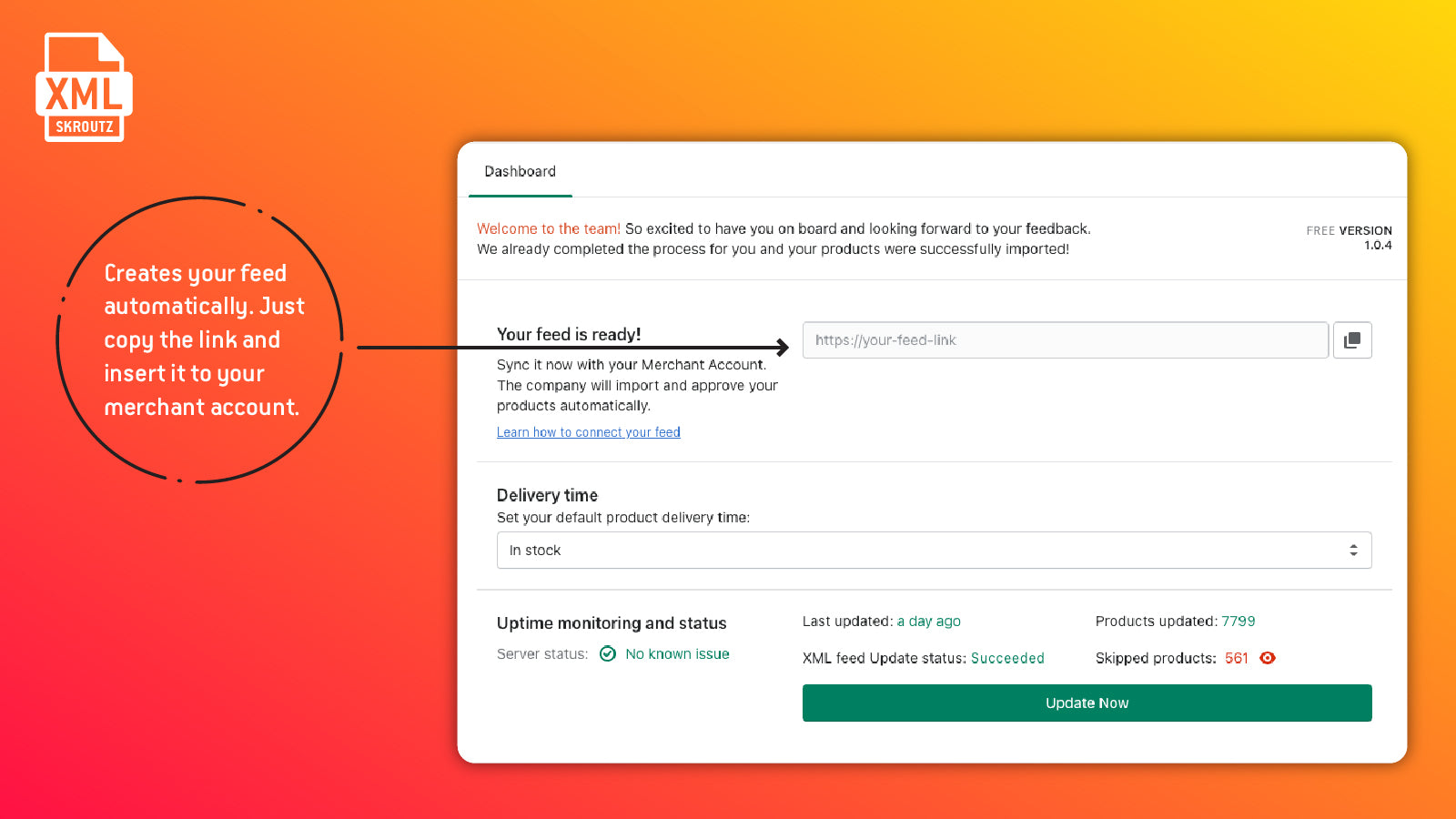
The app automatically exports your store’s products in XML format, providing you a single link that you can visit to view your own store's XML product feed. Integrate your store in multiple channels and marketplaces easily, without the fuss of processing fields and values on your own. Increase your reach and sales with just one click! Finally, discover more details about your XML feed customization, by contacting us for more information.
- Real time monitoring of your XML feed (with product count and skipped products)
- Updates automatically every 2 hours or with the easy 1-Click update function
- Map your product types to their respective categories, using the Category Tree
- Multiple customization options for all of your needs
Features
- Attribute filtering
- Collection targeting
- Custom rules
- Metafields
- Variant sync
Shopify stores using Skroutz XML Feed
We haven't detected Skroutz XML Feed on a live Shopify store yet. We recognise the apps that leave a trace in a store's code; some apps run only in the admin or the checkout.
Detect apps on any storeFAQ
Skroutz XML Feed: FAQ
We create and maintain your product feed in XML format. Your own XML feed with just one click!
Yes, Skroutz XML Feed is free to use.
We haven't detected Skroutz XML Feed on a live Shopify store yet. Scan any store on ShopScan to see the apps it runs.
Skroutz XML Feed is built by Think Plus, based in Greece, and launched in March 2019.
4.5 out of 5 from 9 reviews on the Shopify App Store.