


Connect & Manage Multiple Stores, Create any Report, Audience, Export you need. Automate and Share.
- Stores using it
- — Not detected yet
- Rating
- 5.0 / 5 9 reviews
- Price
- $4 / mo Free plan available
- Launched
- October 2021 Greece
Screenshots

About Ecomsolo Multi‑Store
Connect & Manage Multiple Stores, Create any Report, Audience, Export you need. Automate and Share.
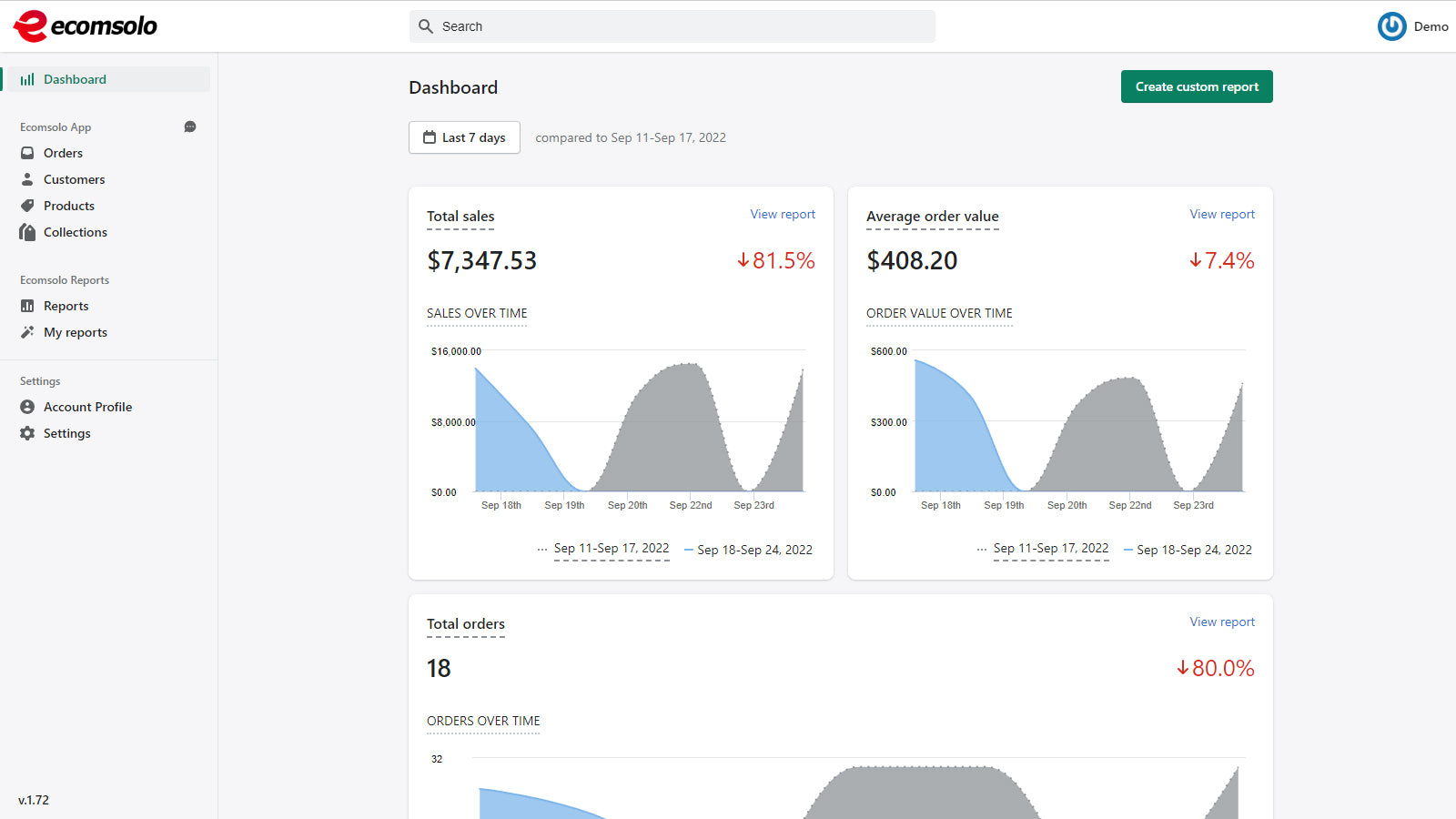
Ecomsolo Multi-Store is the ultimate tool for managing multiple stores and analyzing Shopify store/s data. Take advantage of a unified view of all your store/s data & Create unlimited custom reports tailored to your needs, or use our prebuilt reports to get started quickly. Run & export unique pivot reports, sales reports, inventory reports, tax reports, payout reports, customer analysis and more. Create & upload audiences to 3rd party channels. Build with Shopify Polaris.
- Multiple Shopify stores in one account. Work from one dashboard.
- Create advanced shopify reports, smart audiences, data exports and more.
- 100+ filters, 45+ built in reports, Charts, Compare results between time frames.
- Create schedules for exports/reports creation and delivery. User management.
- Export as csv, excel, Google sheet or pdf. Share by email, ftp or google drive.
Features
- AI insights
- Abandoned cart
- Accounts receivable
- Analytics dashboard
- Bank reconciliation
- COGS tracking
- Checkout analytics
- Cohort analysis
- Custom dashboards
- Custom reports
- Customers
- Daily sales summary
- Data export
- Event tracking
- Forecasting
- GDPR compliance
- Historical analysis
- Historical data import
- Inventory and product
- Lifetime value (LTV)
- Loyalty analysis
- Marketing attribution
- Multi-channel
- Multi-currency
- Multi-store
- Multi-store reports
- Net terms
- Notifications
- Order details
- Payouts
- Performance dashboard
- Pricing
- Profit insights
- Purchase orders
- ROAS
- Real-time inventory sync
- Report scheduling
- Returns and exchanges
- Sales and refunds
- Sales tax
Ecomsolo Multi‑Store pricing
Free plan available · Free trial · From $4 / month. Prices in USD; check the App Store for the latest.
-
Free Plan
Free
- Multi store dashboards
- Reports (Prebuilt & custom)
- Exports
- Schedules
- Advanced Filters
- Charts
- Last 50 orders, customers
- Sync / 4 hours
-
Light Plan
$4 / month
- Multi store dashboards
- Reports (Prebuilt & custom)
- Exports
- Schedules
- Advanced Filters
- Charts
- Teams
- Last 1000 orders, customers
-
Basic Plan
$9 / month
- Multi store dashboards
- Reports (Prebuilt & custom)
- Exports
- Schedules
- Advanced Filters
- Charts
- Teams
- Last 10K orders, customers
-
Advanced Plan
$29 / month
- Additional plans available. See our pricing page for details.
- Multi store dashboards
- Reports (Prebuilt & custom)
- Exports
- Schedules
- Advanced Filters
- Charts
- Teams
Shopify stores using Ecomsolo Multi‑Store
We haven't detected Ecomsolo Multi‑Store on a live Shopify store yet. We recognise the apps that leave a trace in a store's code; some apps run only in the admin or the checkout.
Detect apps on any storeFAQ
Ecomsolo Multi‑Store: FAQ
Connect & Manage Multiple Stores, Create any Report, Audience, Export you need. Automate and Share.
Ecomsolo Multi‑Store has a free plan; paid plans start at $4 a month.
We haven't detected Ecomsolo Multi‑Store on a live Shopify store yet. Scan any store on ShopScan to see the apps it runs.
Ecomsolo Multi‑Store is built by Ecomsolo, based in Greece, and launched in October 2021.
5.0 out of 5 from 9 reviews on the Shopify App Store.