


Compare different versions of your theme to easily view or update any changes before you publish.
- Stores using it
- — Not detected yet
- Rating
- 4.3 / 5 14 reviews
- Price
- Free
- Launched
- December 2023 Canada
Screenshots

About DiffMate ‑ Asset Compare Tool
Compare different versions of your theme to easily view or update any changes before you publish.
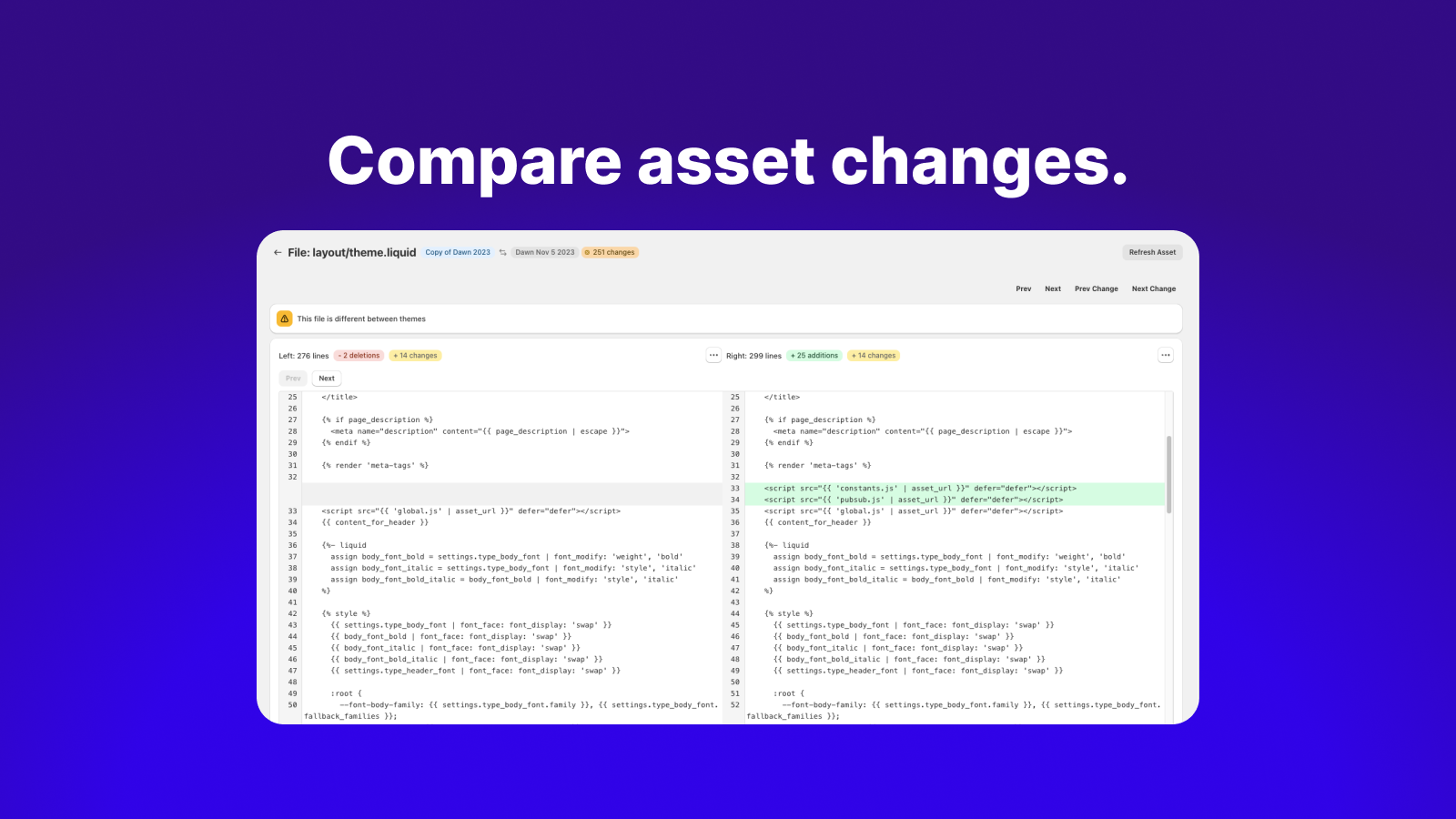
DiffMate is a convenient way to see the asset differences between different versions of your theme. Filter to see only assets that have changed, all assets, or if they exists on one but not both. Our diff-editor allows you to copy specific changes (or entire files) from one theme to another. Whenever you deploy a new version of your store DiffMate reduces the stress of losing edits or forgetting template assets not copied over and much, much more.
- See all your themes including hidden developer themes created by developer tools
- Easily generate an overview of all the asset changes between themes
- Compare assets line-by-line to see any differences using our diff-editor
- Using the diff-editor you can copy files or specific changes between themes
- See the history of when themes were published on you store
Shopify stores using DiffMate ‑ Asset Compare Tool
We haven't detected DiffMate ‑ Asset Compare Tool on a live Shopify store yet. We recognise the apps that leave a trace in a store's code; some apps run only in the admin or the checkout.
Detect apps on any storeFAQ
DiffMate ‑ Asset Compare Tool: FAQ
Compare different versions of your theme to easily view or update any changes before you publish.
Yes, DiffMate ‑ Asset Compare Tool is free to use.
We haven't detected DiffMate ‑ Asset Compare Tool on a live Shopify store yet. Scan any store on ShopScan to see the apps it runs.
DiffMate ‑ Asset Compare Tool is built by 84Labs, based in Canada, and launched in December 2023.
4.3 out of 5 from 14 reviews on the Shopify App Store.