


Synchronise your ecommerce with BigBuy's transport companies. Get the shipping cost automatically.
- Stores using it
- — Not detected yet
- Rating
- 1.0 / 5 18 reviews
- Price
- Free
- Launched
- January 2021 Spain
Screenshots
About BigBuy ‑ Dropshipping carriers
Synchronise your ecommerce with BigBuy's transport companies. Get the shipping cost automatically.
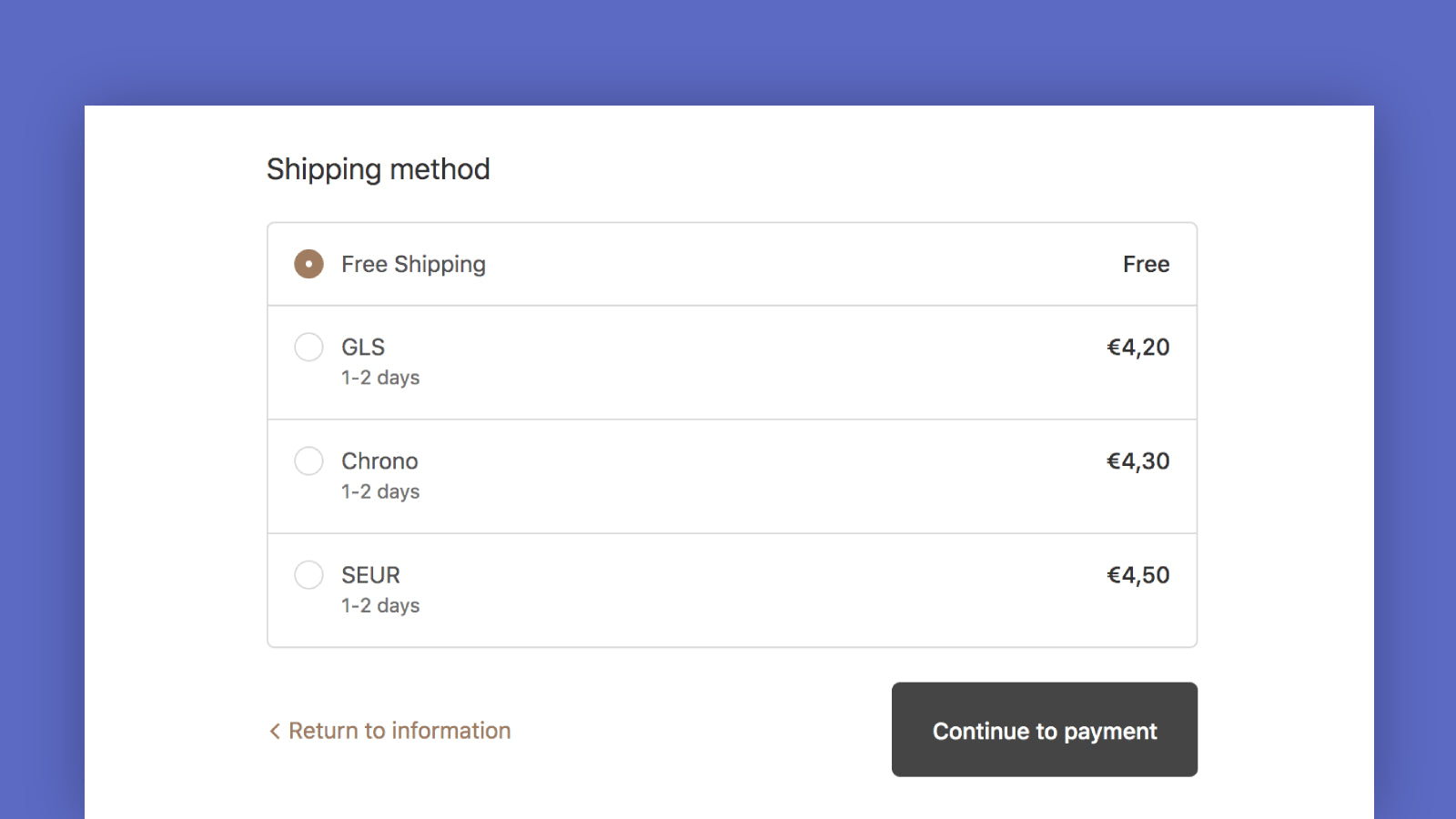
You'll automatically get the shipping cost with the main couriers. The App will automatically provide you with this cost according to the delivery address and the weight of the products. It supports GLS, SEUR, TNT, DHL, UPS, Correos Exprés, Correos, and national postal services. To get started, install the app, enable your preferred couriers, and set up shipping zones. IMPORTANT! This feature is only available for products listed in the BigBuy database.
- Automatic shipping costs in the cart
- Select transport companies that you want
- Real-time synchronisation
Features
- Address validation
- Carrier-based
- Delivery time
- Flat fee
- Multi-language
- Multi-zone
- Product-based
- Quantity-based
- ZIP/post code
Shopify stores using BigBuy ‑ Dropshipping carriers
We haven't detected BigBuy ‑ Dropshipping carriers on a live Shopify store yet. We recognise the apps that leave a trace in a store's code; some apps run only in the admin or the checkout.
Detect apps on any storeFAQ
BigBuy ‑ Dropshipping carriers: FAQ
Synchronise your ecommerce with BigBuy's transport companies. Get the shipping cost automatically.
Yes, BigBuy ‑ Dropshipping carriers is free to use.
We haven't detected BigBuy ‑ Dropshipping carriers on a live Shopify store yet. Scan any store on ShopScan to see the apps it runs.
BigBuy ‑ Dropshipping carriers is built by BigBuy, based in Spain, and launched in January 2021.
1.0 out of 5 from 18 reviews on the Shopify App Store.