


Limit purchases to specific days and times. Block “Add to cart” when unavailable. Sell when ready.
- Stores using it
- — Not detected yet
- Rating
- —
- Price
- $9 / mo Free trial
- Launched
- August 2025 United States
Screenshots
About AvailableON
Limit purchases to specific days and times. Block “Add to cart” when unavailable. Sell when ready.
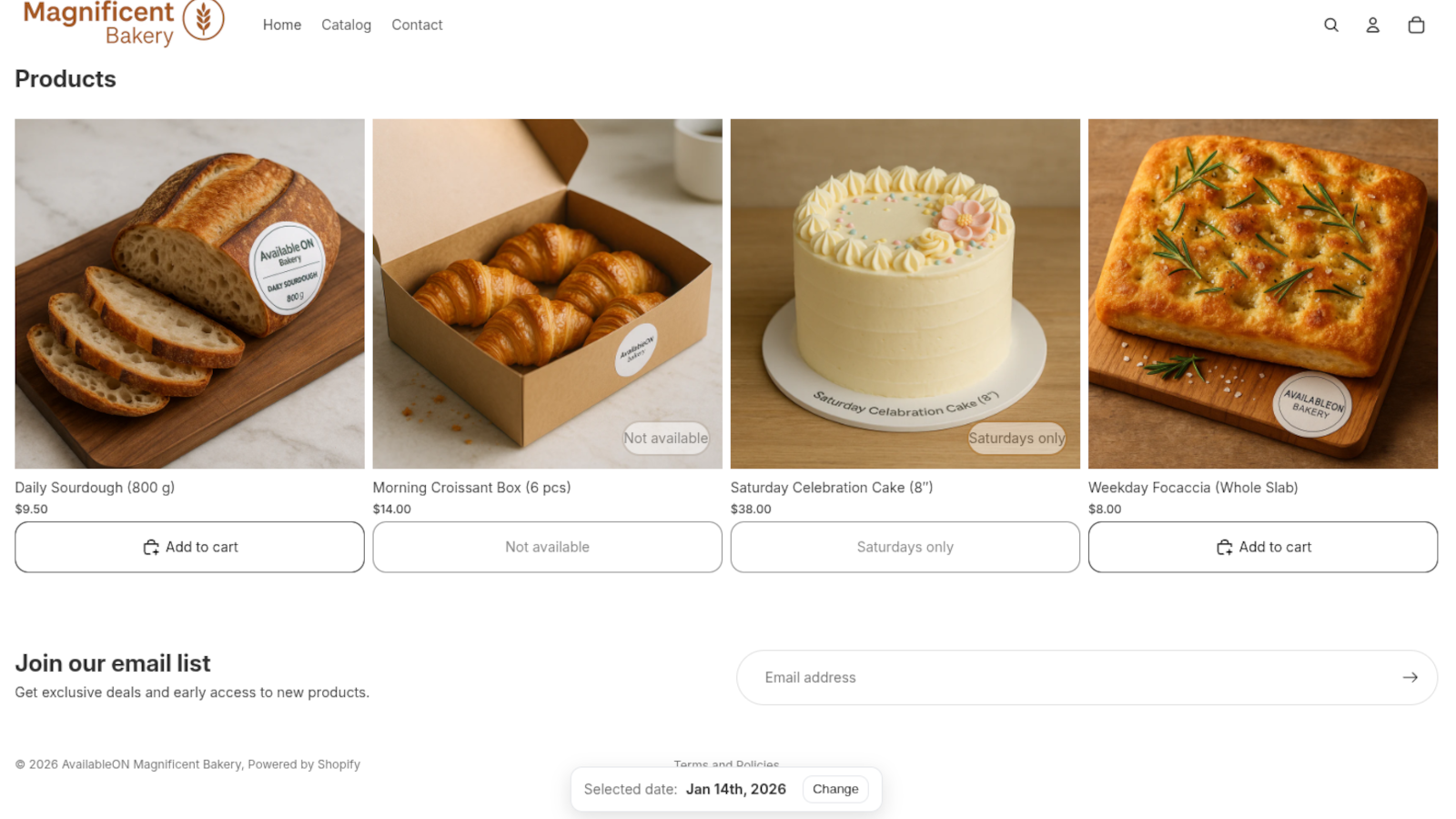
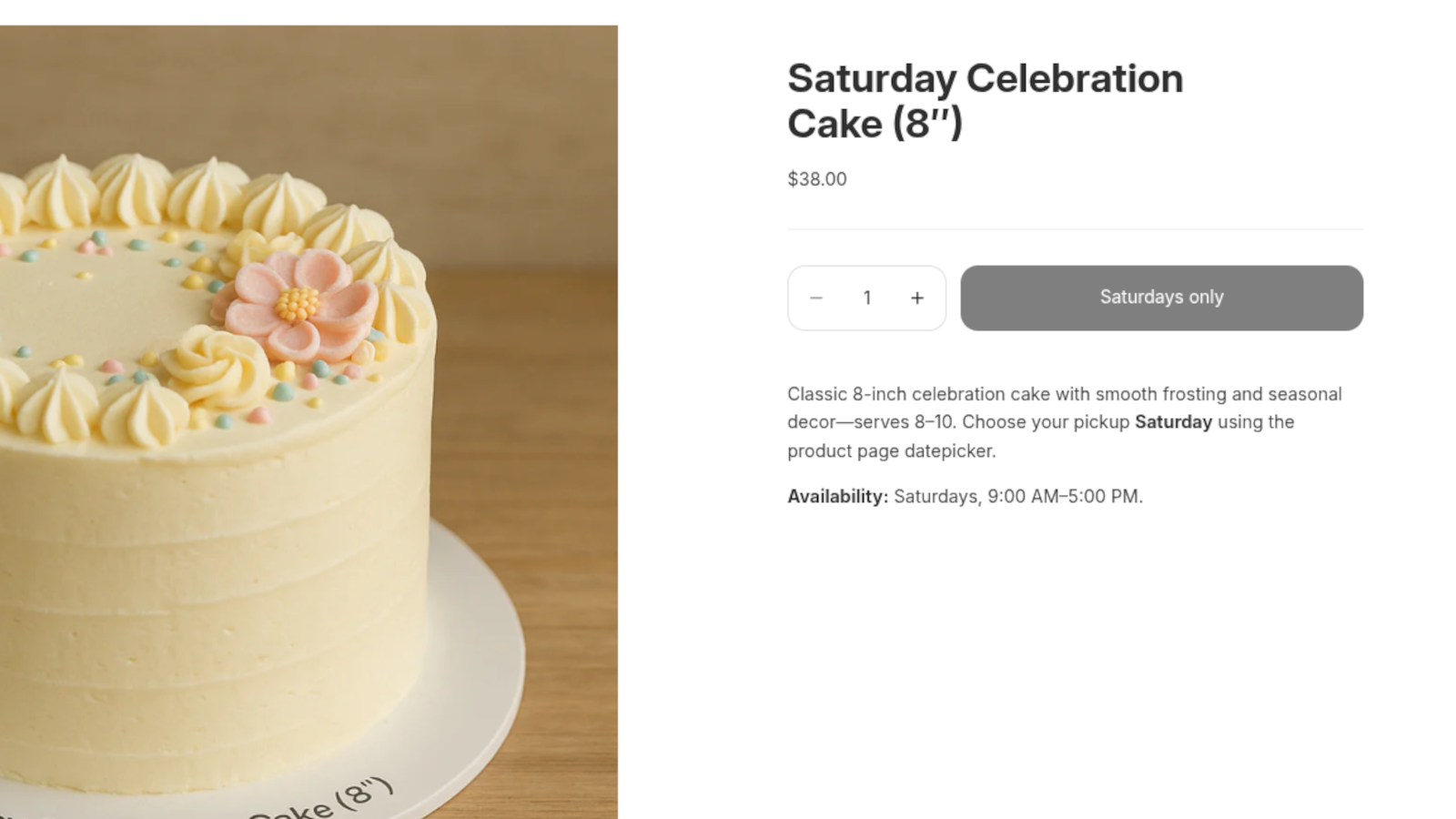
AvailableON lets merchants control when their products can be purchased by setting specific days and time slots. This helps stores with limited production or delivery capacity—like bakeries, florists, or artisans—avoid orders outside working hours. The app blocks the “Add to cart” button automatically when a product is not available, reducing cancellations and improving customer experience.
- Set selling days and time slots per product
- Block “Add to Cart” outside of schedule and avoid out-of-schedule purchases.
- Buy-by-date feature: Let customers pick a date and show available products
AvailableON pricing
Free trial · From $9 / month. Prices in USD; check the App Store for the latest.
-
Basic
$9 / month
- Unlimited availability rules
- “Buy by date” modal & block
- Email support
Shopify stores using AvailableON
We haven't detected AvailableON on a live Shopify store yet. We recognise the apps that leave a trace in a store's code; some apps run only in the admin or the checkout.
Detect apps on any storeFAQ
AvailableON: FAQ
Limit purchases to specific days and times. Block “Add to cart” when unavailable. Sell when ready.
No. Plans start at $9 a month, with a free trial.
We haven't detected AvailableON on a live Shopify store yet. Scan any store on ShopScan to see the apps it runs.
AvailableON is built by MYMCO Stores LLC, based in United States, and launched in August 2025.