

Boost AOV with product, cart & drawer upsells, cross-sells & add-ons customers can add in one click.
- Stores using it
- — Not detected yet
- Rating
- 5.0 / 5 12 reviews
- Price
- $5 / mo Free plan available
- Launched
- November 2025 United Kingdom
Screenshots
About AS: Upsell & Cross Sell
Boost AOV with product, cart & drawer upsells, cross-sells & add-ons customers can add in one click.
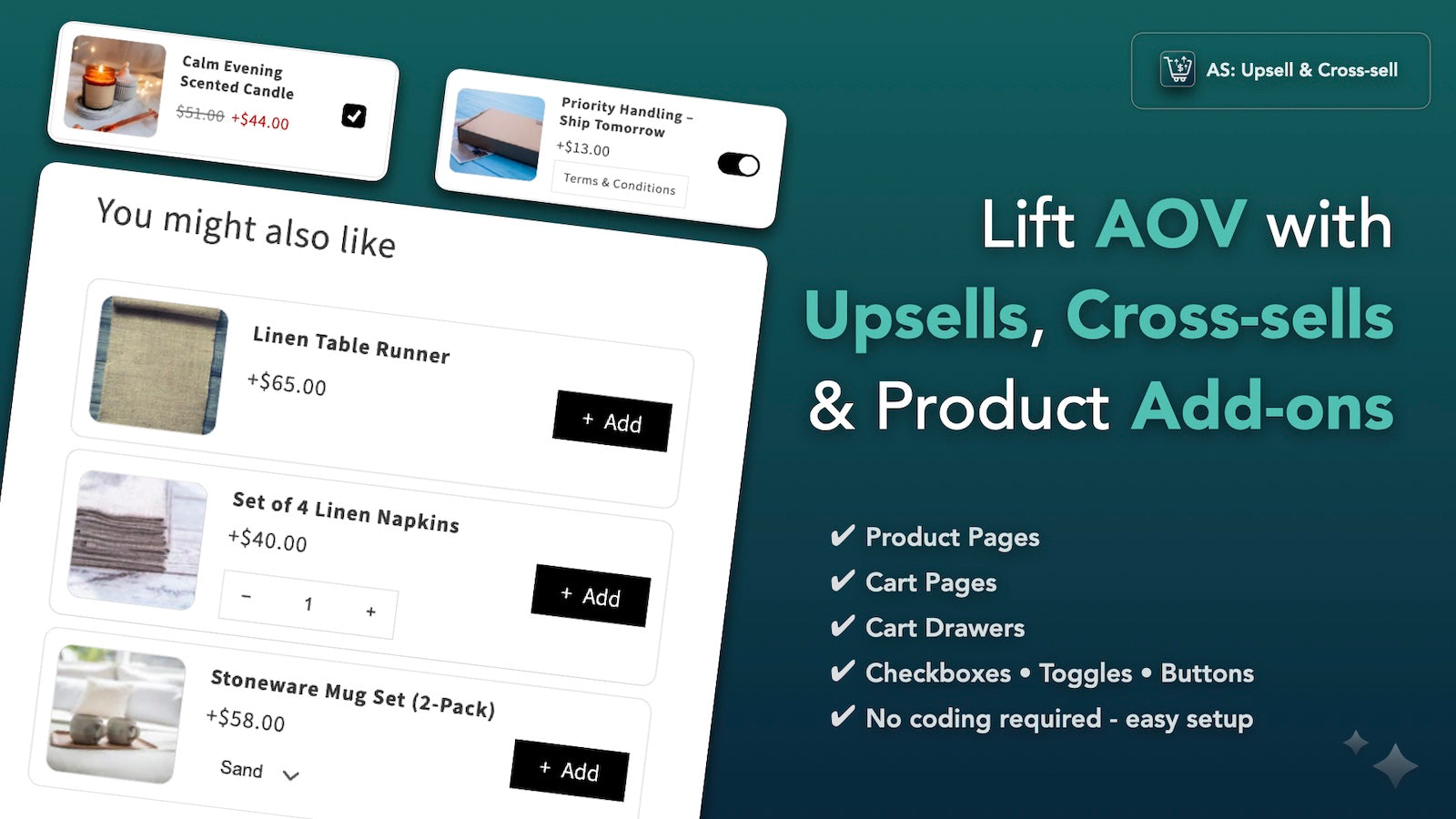
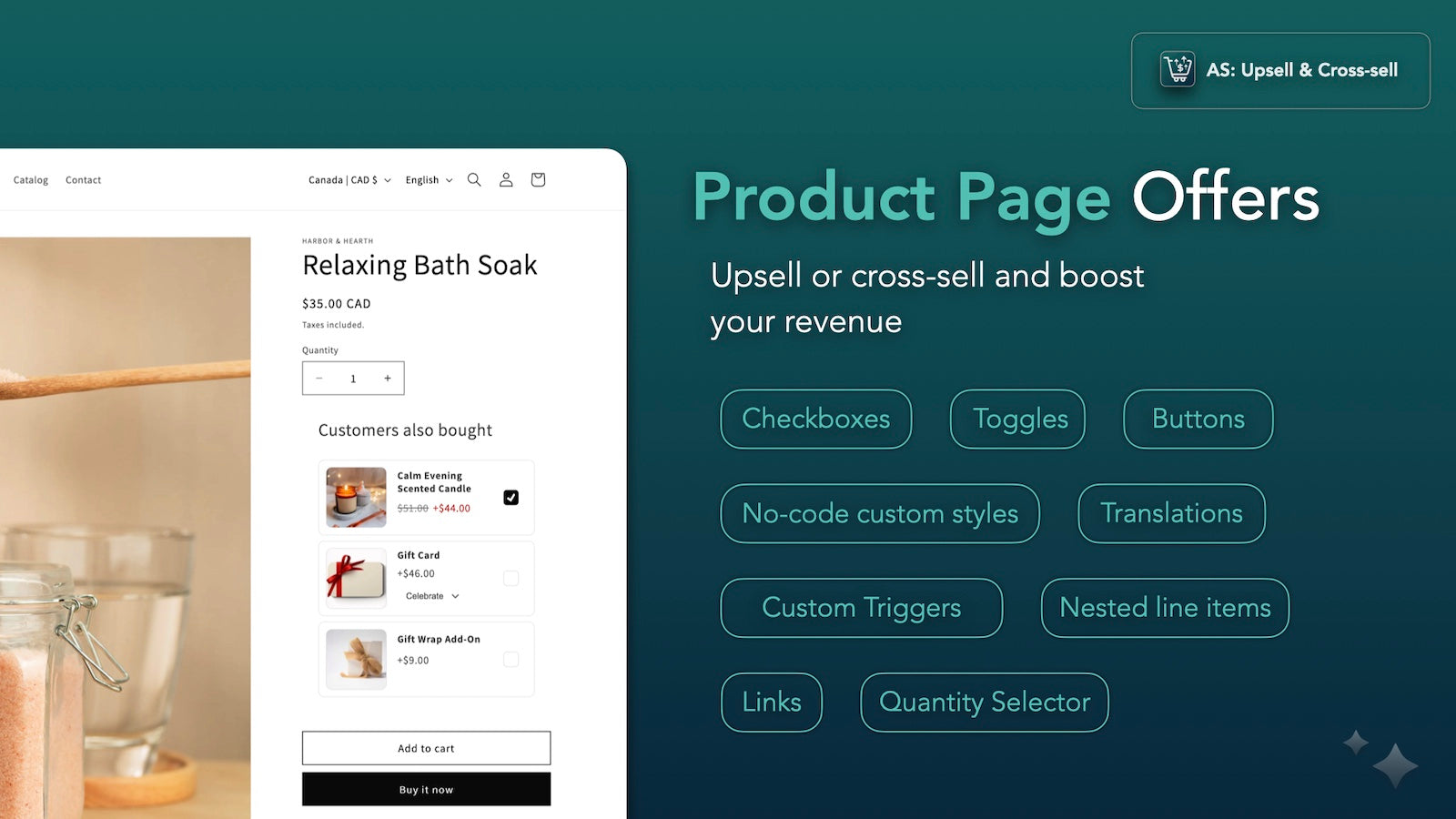
Unlimited upsell & cross-sell offers on product pages, cart page and cart drawer. Use checkboxes, toggles or buttons to add up to 4 products per offer (2 in drawer). Target by products, collections or tags, and match your brand with no-code styling. Track per-offer views, add-to-carts and extra revenue with funnel analytics. Translate & localize via Translate & Adapt for multi-market stores. Fast & helpful support via live chat & email. Fair pricing based on added revenue.
- Product page, cart page & cart drawer offers
- Checkbox, toggle or button CTAs (one-click add-ons)
- Unlimited offers with custom triggers by product/collection/tag
- No-code styling: colors, borders, spacing, roundness & sizing
- Real-time analytics: views, add-to-carts, extra revenue & funnel tracking
Features
- Add-ons
- Bundles
- Cart drawer
- Cart upsell
- Checkboxes
- Click-through rates
- Conditional logic
- Conditional pricing
- Conversion rates
- Custom CSS
- Custom rules
- Drag and drop editor
- Dropdowns
- Free gifts
- Free shipping
- Frequently bought together
- Funnel performance
- Gift wrap
- Hide out-of-stock
- Multi-currency
- Multi-language
- Multi-select
- One-click add-ons
- Preview
- Priority processing
- Product add-ons
- Product page upsell
- Product recommendations
- Recommendation performance
- Shipping protection
- Stock availability
- Translation
- Variants display
- Warranties
AS: Upsell & Cross Sell pricing
Free plan available · Free trial · From $5 / month. Prices in USD; check the App Store for the latest.
-
Free
Free
- Up to $100 additional revenue generated
- All features included
- Product page offers
- Cart page offers
- Cart drawer offers
- Analytics & Translations
- Custom triggers
- No-code styling
-
Starter
$5 / month
- Up to $500 additional revenue generated
- All features included
- Product page offers
- Cart page offers
- Cart drawer offers
- Analytics & Translations
- Custom triggers
- No-code styling
-
Growth
$14 / month
- Up to $1000 additional revenue generated
- All features included
- Product page offers
- Cart page offers
- Cart drawer offers
- Analytics & Translations
- Custom triggers
- No-code styling
-
Scale
$29 / month
- Unlimited additional revenue generated
- All features included
- Product page offers
- Cart page offers
- Cart drawer offers
- Analytics & Translations
- Custom triggers
- No-code styling
Shopify stores using AS: Upsell & Cross Sell
We haven't detected AS: Upsell & Cross Sell on a live Shopify store yet. We recognise the apps that leave a trace in a store's code; some apps run only in the admin or the checkout.
Detect apps on any storeFAQ
AS: Upsell & Cross Sell: FAQ
Boost AOV with product, cart & drawer upsells, cross-sells & add-ons customers can add in one click.
AS: Upsell & Cross Sell has a free plan; paid plans start at $5 a month.
We haven't detected AS: Upsell & Cross Sell on a live Shopify store yet. Scan any store on ShopScan to see the apps it runs.
AS: Upsell & Cross Sell is built by Augmentum Studios Ltd, based in United Kingdom, and launched in November 2025.
5.0 out of 5 from 12 reviews on the Shopify App Store.