


Age Yard Box App helps restrict access to age-restricted content with a popup notification.
- Stores using it
- — Not detected yet
- Rating
- 3.0 / 5 2 reviews
- Price
- Free
- Launched
- March 2021 India
Screenshots

About Age Yard Box
Age Yard Box App helps restrict access to age-restricted content with a popup notification.
This should be everyone’s right to access the online content but it is not right that everyone must gain access to everything available online. For this, the perfect solution would be the Age Yard Box App. This will help restrict the customers from accessing a popup from the website that will notify them regarding the age restrictions. Regardless of your business, whether it is an online gaming company, merchandise selling age-restricted items, or any financial organization
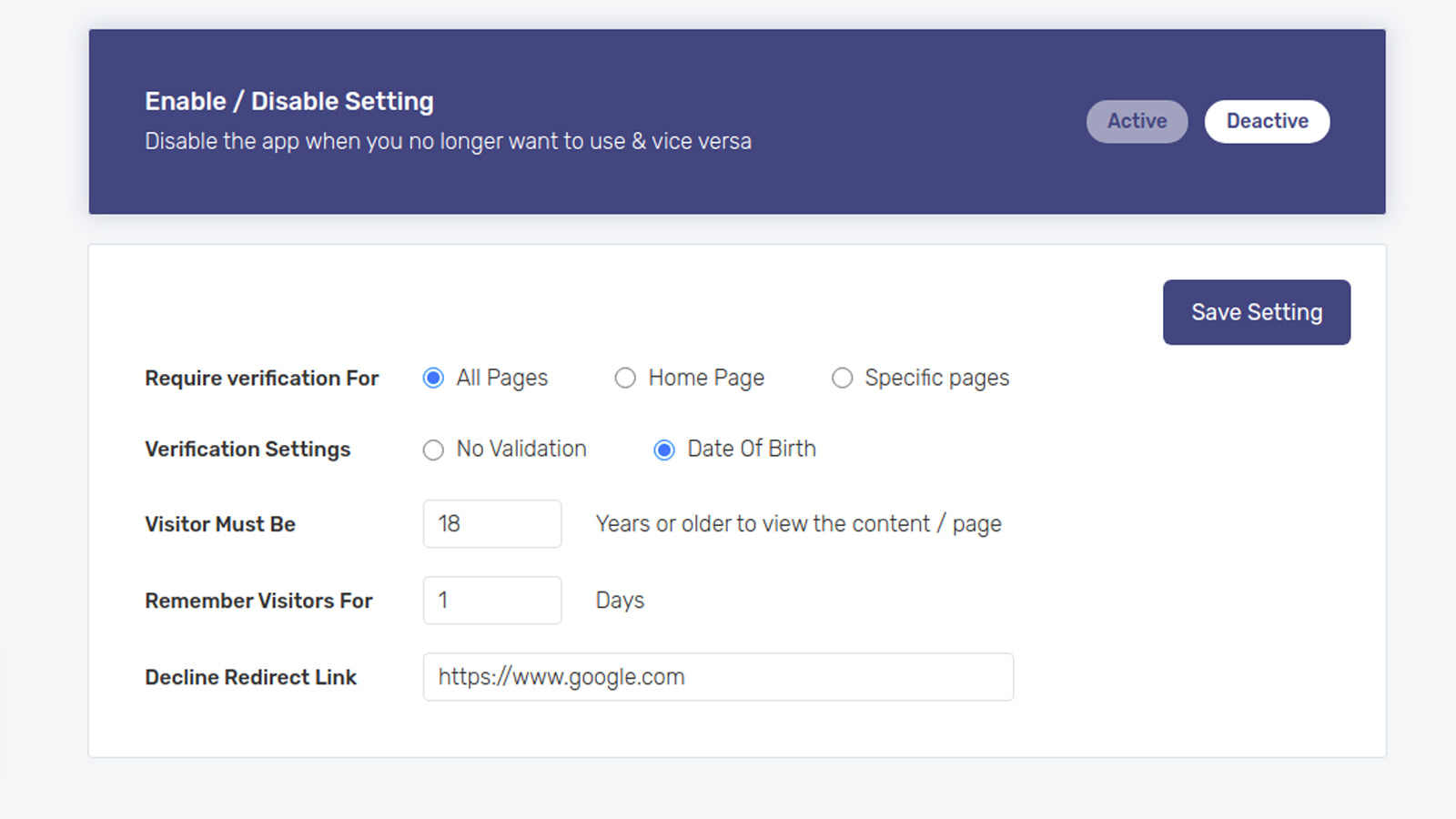
- Multiple popup layouts
- Customizable content popup
- Redirect user to any customizable link
- Remember visitor time customizable
Features
- Age verification
- Compliance reports
- Data privacy
- Page restriction
- Pop-ups
- Templates
- Terms and conditions
- Triggers and rules
Shopify stores using Age Yard Box
We haven't detected Age Yard Box on a live Shopify store yet. We recognise the apps that leave a trace in a store's code; some apps run only in the admin or the checkout.
Detect apps on any storeFAQ
Age Yard Box: FAQ
Age Yard Box App helps restrict access to age-restricted content with a popup notification.
Yes, Age Yard Box is free to use.
We haven't detected Age Yard Box on a live Shopify store yet. Scan any store on ShopScan to see the apps it runs.
Age Yard Box is built by Juicy Apps, based in India, and launched in March 2021.
3.0 out of 5 from 2 reviews on the Shopify App Store.