

When placing an order, fix the billing address to the default address.
- Stores using it
- — Not detected yet
- Rating
- 5.0 / 5 3 reviews
- Price
- $10 / mo Free trial
- Launched
- December 2023 Japan
Screenshots
About Addresyo Lock
When placing an order, fix the billing address to the default address.
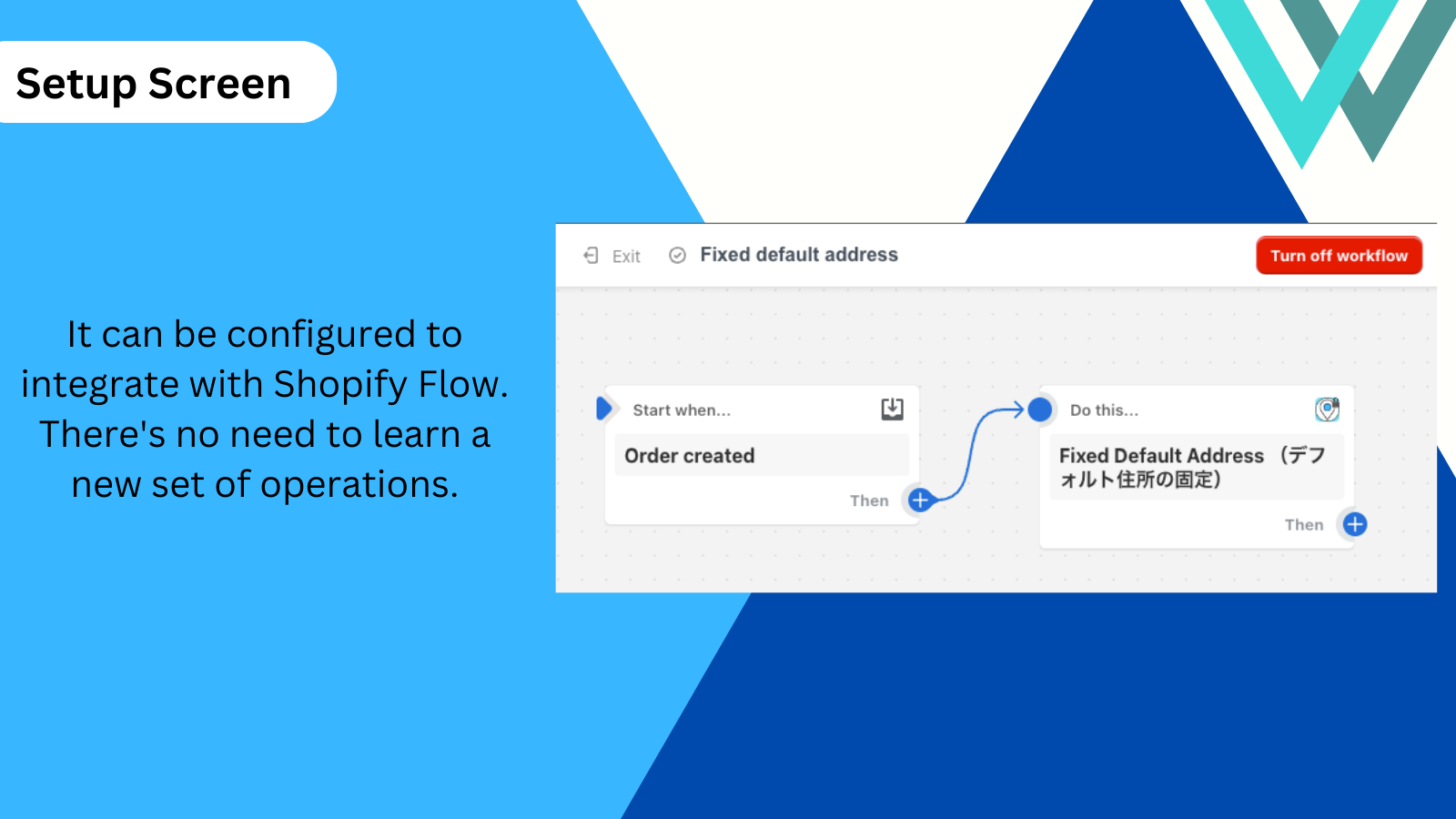
This app is for merchants who don't want Shopify's default behavior of automatically updating the customer's default address to the shipping address. It triggers upon an order and updates the customer's default address to the billing address. It utilizes customer information like address, name, and phone number, securely stored on Shopify's servers, with the app not retaining any information. Manual changes to customer addresses or edits to default addresses are possible.
- Prevents changes to the default address on orders.
- Easy to use because it works as part of the Flow functionality.
- Safe to use as it does not store customer information.
Addresyo Lock pricing
Free trial · From $10 / month. Prices in USD; check the App Store for the latest.
-
MONTHLY PLAN
$10 / month
Shopify stores using Addresyo Lock
We haven't detected Addresyo Lock on a live Shopify store yet. We recognise the apps that leave a trace in a store's code; some apps run only in the admin or the checkout.
Detect apps on any storeFAQ
Addresyo Lock: FAQ
When placing an order, fix the billing address to the default address.
No. Plans start at $10 a month, with a free trial.
We haven't detected Addresyo Lock on a live Shopify store yet. Scan any store on ShopScan to see the apps it runs.
Addresyo Lock is built by Hirano, based in Japan, and launched in December 2023.
5.0 out of 5 from 3 reviews on the Shopify App Store.